Is Casio fx-CG50 Allowed on the SAT?
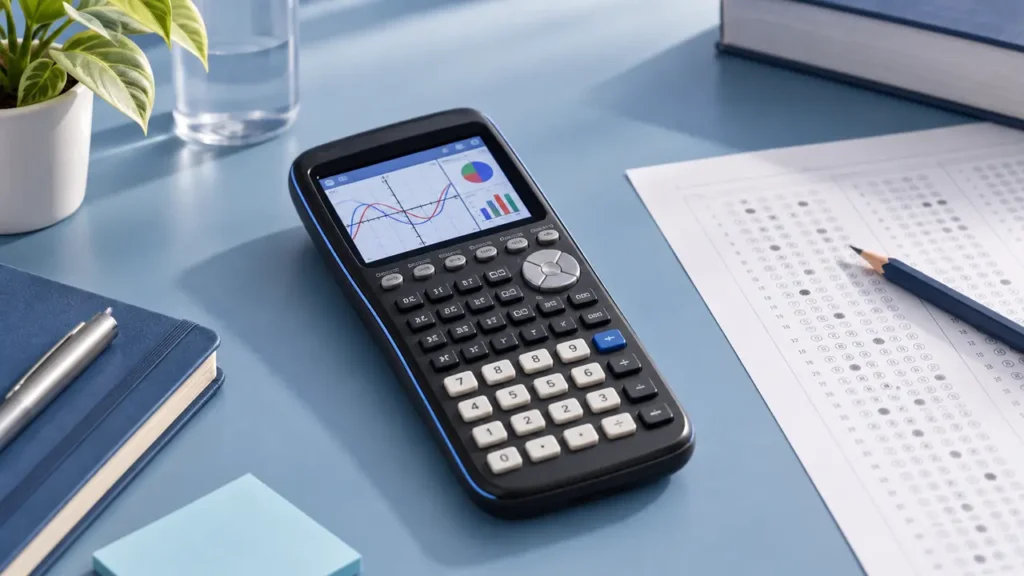
Yes. The Casio fx-CG50 is allowed on the SAT under the current College Board calculator policy, provided it remains in its standard, approved configuration. The fx-CG50 is a graphing calculator without a computer algebra system (CAS), and the SAT permits approved graphing calculators during the calculator-allowed portions of the exam.
As of September 2026, students may use an approved handheld calculator throughout the digital SAT. The test also provides an onscreen Desmos calculator, but you may bring and use your Casio fx-CG50 instead.
Why the Casio fx-CG50 Is Permitted
The fx-CG50 provides graphing, numerical calculations, statistics, regression, tables, and other standard graphing-calculator functions. It does not perform the type of symbolic algebra associated with a CAS calculator.
This distinction matters because the College Board prohibits calculators with computer algebra systems. A CAS calculator can manipulate mathematical expressions symbolically, such as transforming an algebraic expression or returning an exact symbolic derivative. The fx-CG50’s graphing and numerical functions do not automatically make it a CAS calculator.
What You Can Use the fx-CG50 For on the SAT
The fx-CG50 can be useful for many calculator-permitted questions, including:
- Evaluating arithmetic expressions and powers
- Working with fractions, decimals, percentages, and roots
- Graphing functions and examining tables of values
- Finding numerical intersections and zeros
- Calculating statistics from data
- Performing linear and other supported regressions
- Using probability and combinatorics functions
- Checking numerical solutions to equations
These functions can help you evaluate or check a result. They do not replace the need to identify the correct equation, interpret a graph, or understand what a question is asking.
Restrictions That Still Apply
Calculator permission does not remove the SAT’s general testing restrictions. The calculator must be a standalone handheld device that meets College Board requirements.
- Do not use the calculator to communicate with other devices or people.
- Do not connect it to the internet during testing.
- Do not use a phone, tablet, laptop, or calculator app as a substitute for an approved handheld calculator.
- Do not bring notes, stored formulas, or other prohibited materials into the testing room.
- Do not rely on programs or add-ons that could violate the testing rules.
The fx-CG50 is programmable, but programmability by itself does not make it a CAS calculator. You should still remove or avoid any stored material that could conflict with the test center’s instructions.
Casio fx-CG50 Versus Prohibited CAS Models
Casio produces several advanced calculators, and their names and features are not interchangeable. The fx-CG50 should not be confused with Casio models that include CAS functionality, such as certain ClassPad models.
| Calculator type | General SAT status | Reason |
|---|---|---|
| Casio fx-CG50 | Allowed | Non-CAS graphing calculator listed among permitted models |
| CAS graphing calculator | Prohibited | Provides computer algebra functions |
| Scientific calculator | Generally allowed | Meets the College Board’s handheld calculator requirements |
| Phone or calculator app | Prohibited as a personal calculator | Phones and other communication devices are not permitted for calculator use |
A calculator’s ability to graph, solve a numerical equation, or calculate a regression does not by itself indicate CAS functionality. The relevant question is whether the exact model performs prohibited symbolic algebra functions.
How to Prepare the fx-CG50 Before Test Day
Bring the calculator you plan to use well before the exam. This gives you time to become familiar with its menus and confirm that it operates properly.
- Check the calculator’s battery level and bring a backup power plan that complies with testing-center rules.
- Review the fx-CG50’s graphing, table, statistics, and numerical-solving functions.
- Clear personal programs, notes, and stored data that you do not need for the SAT.
- Confirm that the calculator is operating normally before leaving for the test.
- Bring the exact model you have practiced with, rather than borrowing an unfamiliar calculator.
Do not assume that entering an exam or restricted mode makes an otherwise prohibited calculator acceptable. Calculator configuration and official SAT eligibility are separate issues.
Can You Use the fx-CG50 on Every SAT Question?
You can have an approved calculator available throughout the digital SAT, but many questions are intended to be solved efficiently without one. The calculator may be useful for arithmetic, graph analysis, checking an answer, or comparing numerical values. It can be slower than mental math or algebra for simple expressions.
The SAT also includes an onscreen Desmos calculator. You may use that built-in tool when appropriate, or use your approved Casio fx-CG50. Practicing with the fx-CG50 helps you avoid spending test time searching through unfamiliar menus.
Final Check Before the Exam
The Casio fx-CG50 is permitted on the SAT under the current College Board calculator policy. Bring the exact non-CAS model, follow the test center’s instructions, and check the College Board’s official calculator policy before test day in case the rules change. Permission for the fx-CG50 does not extend automatically to every Casio graphing calculator or every calculator with a similar name.