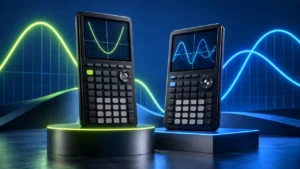
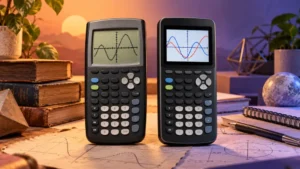
TI-84 Plus CE vs NumWorks: Key Differences Explained

The TI-84 Plus CE and NumWorks share more hardware similarities than their interfaces initially suggest. Both use 2.8-inch, 320 × 240 color displays and rechargeable batteries, and both cover the graphing and numerical work expected from a modern graphing calculator. The experience of getting to those tools, however, is noticeably different.
The TI-84 Plus CE uses the established TI-84 key-and-menu workflow found in many classroom instructions. NumWorks combines a physical keypad with an app-based home screen that organizes tools such as Calculation, Grapher, Equations, Statistics, and Python by task. NumWorks can also return exact as well as approximate results for supported calculations, but that capability should not be confused with a general-purpose Computer Algebra System (CAS).
Quick Answer
Consider the TI-84 Plus CE when your course materials provide TI-84-specific key sequences, you already know the TI-84 interface, or you want to use TI-Basic programs. Matching the calculator demonstrated by an instructor can reduce the need to translate every procedure into another interface.
Consider NumWorks when you prefer a task-based interface, want calculator-side Python, or value features such as USB-C connectivity and the ability to see exact and approximate results for supported calculations. NumWorks still uses a physical keypad; its app-based design describes how the software is organized rather than a touchscreen interface.
Neither calculator should be treated as a general-purpose CAS calculator. NumWorks does support exact results in a range of contexts, however, so the distinction is more nuanced than simply describing both calculators as numerical-only devices.
TI-84 Plus CE vs NumWorks: Comparison Table
| Feature | TI-84 Plus CE | NumWorks |
|---|---|---|
| Display | 2.8-inch, 320 × 240 color display | 2.8-inch, 320 × 240 IPS color display |
| Navigation | Physical keypad with the established TI-84 key-and-menu workflow | Physical keypad with an app-based home screen organized by task |
| Graphing workflow | TI-84 graphing workflow with dedicated keys and menus | Grapher app with Expressions, Graph, and Table views |
| Supported graph types | Multiple supported 2D graphing modes within the TI-84 platform | Functions, conics, inequalities, parametric curves, and polar curves |
| Exact results | Supports exact forms in applicable TI-84 operations | Displays exact and approximate results for supported calculations and exact solutions in supported equation cases |
| General CAS | No | No |
| Programming | TI-Basic on the specific standard TI-84 Plus CE featured here | Calculator-side Python environment based on MicroPython |
| Listed Flash storage | 3 MB | 8 MB |
| Power | Internal rechargeable TI battery | Integrated rechargeable lithium-polymer battery |
| Connector | USB connection for supported communication and charging | USB-C |
| TI-84-specific course instructions | Can be followed directly on the calculator | Require translation into the corresponding NumWorks workflow |
The basic display specifications are surprisingly similar, while the software organization is not. That makes this comparison less about choosing between an old-fashioned screen and a modern one, and more about deciding which interface, programming environment, and classroom workflow fits the way you will actually use the calculator.
The Basic Display Numbers Are Surprisingly Similar
Both calculators use a 2.8-inch display with a resolution of 320 × 240 pixels. NumWorks specifies an IPS color LCD, while the TI-84 Plus CE also provides a color display designed to distinguish graphs and other visual elements.
Those shared dimensions do not mean the screens produce the same experience. What appears on the display is shaped by each calculator’s operating environment and interface. TI retains the familiar TI-84 organization of keys, menus, graph screens, and mathematical tools, while NumWorks presents its functions through named applications.
Display specifications also say nothing by themselves about mathematical accuracy. A higher-contrast or easier-to-read intersection does not become a more exact answer simply because it is visually clear. Use the calculator’s numerical tools when you need coordinates or an approximation rather than estimating a value from graph pixels.
The Biggest Difference Is How You Find the Tools
Suppose an assignment asks you to enter two functions, graph them, and locate their intersection. On the TI-84 Plus CE, a student familiar with the TI platform works through the established TI-84 keys and menus. If the worksheet gives those exact key sequences, the calculator and instructions match directly.
NumWorks organizes the same general kind of work differently. Its home screen presents named applications such as Calculation, Grapher, Equations, Statistics, Regression, Distributions, and Python. You move around that interface with the physical keypad, select an application, and then work within the tools associated with that task.
This is an important distinction because “app-based” does not mean touchscreen. NumWorks remains a physical-key calculator. The app model describes its software organization: instead of starting from a collection of calculator-specific key sequences, you often begin by selecting the mathematical task you want to perform.
TI-84 Instructions Are Easier to Follow on a TI-84
Interface differences become particularly noticeable in a classroom. A worksheet that says to press specific TI-84 keys is effectively written for the TI platform. The mathematical task may also be possible on NumWorks, but the sequence must be translated into NumWorks terminology and controls.
That does not establish that one interface is universally easier. A student working from calculator-neutral mathematical instructions may prefer the visible application structure of NumWorks, while someone who has used the TI-84 family for years may navigate its keys and menus from memory.
The practical question is therefore not simply which interface looks newer. It is whether your course teaches the mathematics independently of the calculator or regularly demonstrates exact model-specific procedures.
NumWorks Organizes Graphing Around Its Grapher App
NumWorks places graphing inside its Grapher application. The workflow separates expressions, the graph itself, and tables into related views, while supporting functions, conics, inequalities, parametric curves, and polar curves.
The Grapher environment also includes tools for investigating features of a graph rather than relying only on visual estimation. Its graphing workflow can help identify features such as intercepts, extrema, and intersections, while Auto-zoom is designed to bring relevant graph characteristics into view.
The TI-84 Plus CE approaches graphing through the familiar TI-84 environment instead. Students accustomed to entering functions through the TI interface and using its graph-analysis tools may find that workflow immediately recognizable.
Neither approach changes an important mathematical principle: the appearance of a graph and the calculated value obtained from it are not the same thing. A crossing that appears to occur at a particular pixel should not be treated as an exact algebraic solution without considering the numerical or exact tools appropriate to the problem.
Exact Results Do Not Automatically Mean CAS
This is one of the most important distinctions in the TI-84 Plus CE vs NumWorks comparison. NumWorks should not be described as a calculator that only produces decimal approximations. Its current Calculation application can display exact and approximate results for supported operations, and its Equations application can return exact solutions in supported cases.
For example, an exact fraction such as 3/8 and its decimal representation answer the same numerical calculation in different forms. Returning the fraction does not require the calculator to be a general-purpose symbolic algebra system.
The same principle applies to supported equation solving. A calculator can return exact solutions for particular equation types without providing a general CAS capable of arbitrary symbolic manipulation.
That distinction matters because exact result, numerical approximation, and CAS describe different properties. It is possible for a non-CAS calculator to preserve or return exact forms for supported operations.
Neither Is a General-Purpose CAS Calculator
A general Computer Algebra System goes beyond preserving exact numerical forms. It can manipulate mathematical expressions symbolically across a broad range of supported operations.
Consider differentiation. Evaluating a derivative numerically at a specified value of x is different from manipulating an expression such as x3 and returning the symbolic derivative 3x2. Similarly, calculating a definite integral over an interval is different from deriving a general symbolic antiderivative.
Neither calculator in this comparison should be purchased on the assumption that it provides the general symbolic workflow associated with a dedicated CAS calculator. At the same time, that statement should not be simplified into the claim that NumWorks only works with decimal approximations, because its current software supports exact results in a range of defined contexts.
Programming Is a Major Platform Difference
The specific standard TI-84 Plus CE featured here supports TI-Basic. That programming environment has a long history within the TI graphing-calculator ecosystem and can be used to create calculator programs around supported mathematical and interface functions.
NumWorks takes a different approach by providing a Python application based on MicroPython. If a class asks students to write Python code on the calculator, that distinction can matter immediately.
MicroPython should still be understood as a calculator-side implementation rather than an unrestricted desktop Python environment. Programs that rely on unsupported desktop libraries or other computer-specific features should not be assumed to run unchanged on the calculator.
The TI model name also matters. The standard TI-84 Plus CE featured in this comparison should not be confused with the separately named TI-84 Plus CE Python Edition. Python capability available on that model should not automatically be attributed to every product listing carrying the broader TI-84 Plus CE name.
NumWorks Lists More Flash Storage, but That Is Not a Speed Test
The standard TI-84 Plus CE provides 3 MB of listed Flash storage, while NumWorks lists 8 MB of Flash memory. That is a real hardware difference, but it should remain a storage comparison.
It does not establish that NumWorks calculates faster, redraws every graph faster, runs programs faster, or provides a more responsive interface. Storage capacity and processing performance are different characteristics.
Memory specifications also require careful terminology. Flash storage, RAM, available user memory, program capacity, and operating-system memory are not interchangeable categories. A comparison of the clearly documented Flash figures should therefore not be expanded into a general claim that one calculator simply has “more memory” in every sense.
Both Use Rechargeable Power
Unlike comparisons between the TI-84 Plus CE and an AAA-powered calculator, battery type is not a rechargeable-versus-replaceable divide here. Both the TI-84 Plus CE and NumWorks use rechargeable power systems.
The TI uses its rechargeable TI battery, while NumWorks specifies an integrated rechargeable lithium-polymer battery. That makes either calculator suitable for a routine built around recharging rather than regularly replacing disposable batteries.
Battery specifications should still be interpreted carefully when comparing manufacturer figures. Published runtime estimates can depend on different testing conditions and usage patterns, so a single stated number should not automatically be used to declare one calculator’s real-world battery life superior.
NumWorks Uses USB-C
Connectivity provides a straightforward hardware difference. NumWorks uses USB-C for supported connection and charging functions.
The TI-84 Plus CE also provides USB connectivity for supported communication and charging, but its connector and surrounding hardware design come from the TI-84 Plus CE platform rather than the USB-C implementation used by NumWorks.
The connector itself does not determine mathematical capability. USB-C does not make a calculator better at solving equations, just as the presence of a USB port does not imply that two calculators support identical software, transfer procedures, or accessories.
TI-84 Plus CE: The Established TI-84 Workflow
TI-84-oriented course materials can be followed directly on the TI-84 Plus CE without translating the demonstrated key sequences to another calculator. That can matter when lessons move quickly between entering functions, adjusting graph windows, examining tables, performing statistical calculations, and using other familiar TI-84 tools.
The calculator combines that established interface with a 2.8-inch, 320 × 240 color display, MathPrint formatting, 3 MB of listed Flash storage, TI-Basic programming, and rechargeable power. Those characteristics make the exact platform easier to understand than broad claims that it is simply a “school calculator.”
The model featured here is the standard TI-84 Plus CE. If Python is part of your requirement, verify the complete model name because the separately named TI-84 Plus CE Python Edition has a different programming capability.

To buy this product, click here.
NumWorks: A Task-Based Interface With Python
NumWorks organizes its mathematical tools around named applications. Calculation, Grapher, Equations, Statistics, Regression, and Python are visible as separate starting points, while the physical keypad remains the primary way to move through the interface and enter mathematics.
Its 2.8-inch, 320 × 240 IPS color display matches the TI in basic size and resolution figures, but the information shown on that screen is organized around a substantially different software design. The Grapher app separates expressions, graphs, and tables, while the Calculation and Equations applications support exact and approximate results in defined contexts.
Python adds another platform difference. NumWorks provides a calculator-side Python environment based on MicroPython, giving students a direct route into Python programming without implying compatibility with every desktop Python library or script.
NumWorks also lists 8 MB of Flash memory, uses an integrated rechargeable battery, and provides USB-C connectivity. Those are concrete hardware differences, but they should not be used as shortcuts for claims about mathematical capability or processing performance.

To buy this product, click here.
Which One Fits Your Workflow?
- Consider the TI-84 Plus CE when your course uses TI-84-specific instructions. Matching the calculator shown by an instructor can eliminate repeated translation between different menus and key sequences.
- Consider NumWorks when you prefer applications organized by mathematical task. Its home screen provides visible starting points for graphing, equations, statistics, Python, and other tools.
- Consider NumWorks when calculator-side Python is specifically required. The exact standard TI-84 Plus CE featured here uses TI-Basic and is distinct from the separately named TI-84 Plus CE Python Edition.
- Do not treat exact results as proof of CAS. NumWorks can provide exact and approximate results for supported calculations without functioning as a general-purpose Computer Algebra System.
- Do not choose based on screen resolution alone. Both use 2.8-inch, 320 × 240 color displays, while their interfaces and software workflows remain substantially different.
- Check course and assessment requirements separately. Mathematical capability and permission to use a particular model are different questions.
Course Instructions Can Matter More Than the Feature List
Students rarely use a graphing calculator in isolation. They may follow a teacher demonstration, textbook instructions, online tutorials, or worksheets that assume a particular model.
If those materials repeatedly name TI-84 keys, using the TI-84 Plus CE removes one layer of translation. A NumWorks user may still be able to complete the same mathematical task, but the path through the calculator will be different.
If the course is calculator-neutral, the comparison changes. NumWorks’ application structure may then be useful for someone who prefers choosing a named mathematical task before working within it, while an experienced TI user may prefer the established TI-84 interface already stored in muscle memory.
Exam Rules Need a Separate Check
Course suitability and exam eligibility are not the same thing. An instructor may permit a calculator for homework or classroom use while an external examination applies its own calculator policy.
Check the current rules published by the administrator of the exact assessment you plan to take. Calculator policies can differ across the SAT, ACT, individual AP exams, and other assessments, and those rules can change.
Use the exact calculator model when checking eligibility. Do not assume that approval of another TI-84 model, another NumWorks hardware generation, or a broadly similar non-CAS calculator automatically establishes permission for the device you intend to bring.
Frequently Asked Questions
Does the standard TI-84 Plus CE run Python?
The specific standard TI-84 Plus CE featured here should not be confused with the separately named TI-84 Plus CE Python Edition. The standard model in this comparison uses TI-Basic, so verify the complete product name when Python is a requirement.
Does NumWorks support Python?
Yes. NumWorks provides a calculator-side Python environment based on MicroPython. It is designed for the calculator, so desktop Python programs that depend on unsupported libraries or other computer-specific features should not be assumed to run unchanged.
Is NumWorks a CAS calculator?
NumWorks should not be treated as a general-purpose CAS calculator. That does not mean it only returns decimal approximations. Its current software can display exact and approximate results for supported calculations and can return exact solutions in supported equation cases. Exact-result capability is not the same thing as a general symbolic algebra system.
Can NumWorks give exact answers without CAS?
Yes. For supported calculations, NumWorks can preserve or return exact forms alongside decimal approximations. Its Equations application can also return exact solutions in supported cases. A calculator does not need to be a general-purpose CAS simply to return an exact fraction or an exact solution for a supported equation type.
Do the TI-84 Plus CE and NumWorks have the same screen resolution?
Both use 2.8-inch, 320 × 240 color displays. NumWorks specifies an IPS LCD, while the TI-84 Plus CE uses its own color-display implementation. Identical basic resolution figures do not imply identical interfaces, graphing workflows, or mathematical capabilities.
Which calculator has more Flash storage?
NumWorks lists 8 MB of Flash memory, while the standard TI-84 Plus CE provides 3 MB of Flash storage. That difference should not be used to infer calculation speed, graph-redraw performance, processor performance, or responsiveness.
Does NumWorks have a touchscreen?
No. NumWorks uses a physical keypad. Its app-based interface refers to the way its software is organized into named applications rather than to touchscreen input.
Can I follow TI-84 instructions on NumWorks?
You can often perform the same underlying mathematical task, but TI-84-specific button sequences will need to be translated into the corresponding NumWorks application and controls. That difference matters most in courses that provide step-by-step calculator instructions.
Can both calculators find intersections?
Both provide graphing tools that can be used to investigate intersections. Their interfaces differ, and a graphically displayed crossing should not by itself be treated as an exact algebraic result. Use the appropriate graph-analysis, numerical, or exact tools for the form of answer the problem requires.
Does a clearer graph produce a more accurate answer?
No. Display quality can improve readability, but the visual position of a curve or intersection is not a substitute for a calculated value. Screen resolution and numerical accuracy are different characteristics.
Are both calculators rechargeable?
Yes. The TI-84 Plus CE uses a rechargeable TI battery, while NumWorks specifies an integrated rechargeable lithium-polymer battery. NumWorks uses USB-C, while the TI uses the USB connection provided by the TI-84 Plus CE platform.
Can I use either calculator on an exam?
That depends on the exact exam and its current calculator policy. Check the exam administrator’s current rules for the exact model you plan to use rather than relying on a retailer’s general “exam-approved” description.
Final Verdict
The TI-84 Plus CE and NumWorks share an unusually similar basic display specification at 2.8 inches and 320 × 240 pixels, and both use rechargeable power, but their software design is substantially different. The standard TI-84 Plus CE centers on the established TI-84 key-and-menu workflow and TI-Basic. NumWorks organizes its tools into named applications, provides calculator-side Python, uses USB-C, and can display exact as well as approximate results for supported calculations.
TI-84-specific classroom instructions can be followed directly on the TI platform, while NumWorks provides a different workflow built around applications such as Calculation, Grapher, Equations, and Python. Neither should be treated as a general-purpose CAS calculator, and buyers looking for Python on the TI side should distinguish the standard TI-84 Plus CE featured here from the separately named TI-84 Plus CE Python Edition.