TI-84 Plus CE vs Casio fx-CG50: Which Calculator Fits Your Needs?
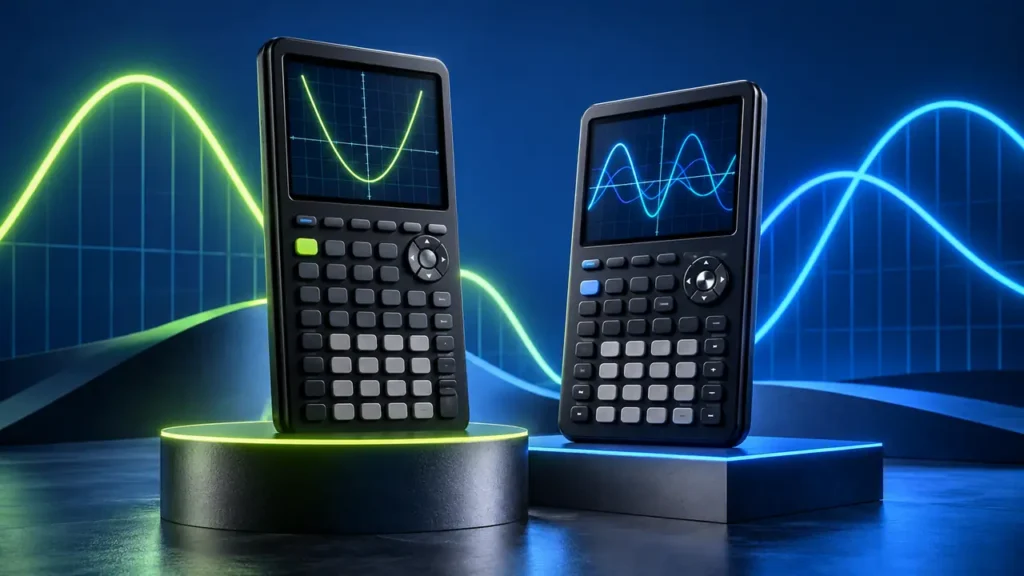
The TI-84 Plus CE and Casio fx-CG50 cover much of the same territory: color graphing, statistics, numerical mathematics, tables, and non-CAS coursework. The differences become more noticeable in how you interact with those tools. The TI-84 Plus CE follows the familiar TI-84 key-and-menu system and uses an internal rechargeable battery, while the fx-CG50 uses Casio’s icon-based interface, runs on four AAA batteries, and adds a dedicated 3D Graph environment.
Programming needs another distinction. The specific standard TI-84 Plus CE featured in this comparison supports TI-Basic and should not be confused with the separately named TI-84 Plus CE Python Edition. The fx-CG50 supports both Casio’s Basic-like programming and calculator-side Python. That exact-model distinction matters if programming is part of your course.
Quick Answer
Consider the TI-84 Plus CE when your course materials are written around TI-84 keys and menus, or when you prefer an internal rechargeable battery. Its 320 × 240 color display, numerical mathematics, statistics, and familiar TI-84 workflow cover a wide range of secondary-school and college-level work.
Consider the Casio fx-CG50 when you want its 384 × 216 color display, dedicated 3D Graph environment, icon-based navigation, or calculator-side Python. It also provides considerably more listed Flash storage, although storage capacity should not be confused with calculation speed or mathematical capability.
Neither calculator has built-in CAS. If your work requires symbolic algebra, symbolic differentiation, or symbolic integration, changing between these two models does not add that capability.
TI-84 Plus CE vs Casio fx-CG50: Comparison Table
| Feature | TI-84 Plus CE | Casio fx-CG50 |
|---|---|---|
| Display | 320 × 240, 2.8-inch, 16-bit color, backlit | 384 × 216, 3.17-inch, color, backlit |
| Interface | TI-84 key-based workflow with pull-down menus | Physical keypad with function and icon menus |
| Textbook-style display | MathPrint | Natural Textbook Display |
| 2D graphing | Yes | Yes |
| Dedicated 3D Graph | No comparable built-in 3D Graph environment | Yes |
| CAS | No | No |
| Numerical calculus | Numerical derivatives and definite integrals | Numerical differentiation and integration |
| Programming | TI-Basic on the standard model featured here | Python and Basic-like programming |
| Python | Not on the specific standard CE model featured here; TI also offers a TI-84 Plus CE Python Edition | Yes, through Casio’s calculator-side Python environment |
| Listed Flash storage | 3 MB | 16 MB |
| Power | Internal rechargeable TI battery | Four AAA alkaline or Ni-MH batteries |
| USB | Data transfer, updates, and charging | USB connectivity and data communication |
The specifications show why this is not a simple question of which calculator has the longer feature list. The two models overlap substantially in ordinary numerical mathematics, while their interfaces, 3D capabilities, programming options, storage, and power systems differ.
The Classroom Workflow Can Matter More Than the Specification Sheet
Imagine following a lesson that says, “Press Y=, enter the function, then press GRAPH.” Those instructions are written in the language of the TI-84 family. On the TI-84 Plus CE, the labeled keys correspond directly to the demonstration.
The fx-CG50 can perform the same basic graphing task, but its interface organizes applications differently. A student following TI-specific instructions has to translate the demonstrated sequence into the Casio workflow.
That does not make one interface mathematically better. It is an instructional compatibility issue. If an instructor, textbook, tutoring program, or collection of class handouts consistently demonstrates TI-84 procedures, using the same calculator family can remove a small layer of translation while you are learning the underlying mathematics.
Outside that environment, Casio’s icon-based organization has its own logic. Graphing, statistics, programming, and other applications have visible starting points from the main menu. Someone learning independently may care less about matching a teacher’s keystrokes and more about which interface feels easier to navigate.
Both Handle the Core 2D Graphing Work
For ordinary function graphing, these calculators have considerable overlap. Both can plot functions, work with tables, and provide tools for investigating graphical behavior.
Suppose two functions appear to cross near x = 2. The useful next step is not to estimate the answer from the colored pixels. Both calculators provide graph-analysis and numerical tools for investigating coordinates more carefully.
The display specifications should therefore not be treated as measurements of mathematical accuracy. The TI-84 Plus CE uses a 320 × 240 display, while the fx-CG50 uses a 384 × 216 display. Different pixel dimensions and screen sizes change how information is presented, but they do not by themselves make a calculated root or intersection more accurate.
The fx-CG50 Adds a Dedicated 3D Graph Environment
One of the clearest functional differences is 3D graphing. The fx-CG50 includes a dedicated 3D Graph environment that can display and manipulate three-dimensional objects and graphs.
This matters when the work actually involves three-dimensional visualization. Being able to rotate a graph, change the viewing direction, zoom, or examine a cross section can help when investigating a surface or spatial relationship.
It should not be turned into a general claim that the fx-CG50 is more suitable for every algebra or calculus course. Much of algebra, precalculus, statistics, and single-variable calculus is performed with equations, tables, numerical calculations, and two-dimensional graphs. If your assignments never call for three-dimensional visualization, the 3D Graph environment may see little use.
Neither Calculator Has CAS
The TI-84 Plus CE and fx-CG50 are both non-CAS graphing calculators. This distinction becomes important when calculus and algebra features are described broadly.
For example, both calculators can perform numerical calculus. A numerical derivative can evaluate the derivative at a particular point, and a numerical definite integral can calculate a value over a specified interval.
That is different from symbolic calculus. If you enter a function such as x3 and expect the calculator to return 3x2 as a symbolic derivative expression, you are asking for a different type of mathematical capability.
The same distinction applies to algebra. Graphing two equations and numerically locating their intersection is not equivalent to a general computer algebra system manipulating the equations symbolically.
If symbolic algebra or symbolic calculus is a requirement, neither model gains that capability merely because it has a color display, equation-solving tools, or graph-analysis functions.
Python Requires an Exact-Model Check
Programming is one area where the exact TI model matters.
The specific standard TI-84 Plus CE featured in this comparison supports TI-Basic. It should not be confused with the separately named TI-84 Plus CE Python Edition, which adds a dedicated Python programming environment while retaining the broader TI-84 Plus CE feature set.
The fx-CG50 supports Casio’s Basic-like programming environment as well as calculator-side Python. Casio’s Python implementation is designed for the calculator environment, so it should not be treated as identical to a desktop Python installation with unrestricted access to desktop libraries and packages.
For someone comparing the two exact products featured on this page, Python is therefore a difference. It should not, however, be generalized into the statement that the entire TI-84 Plus CE family lacks Python. Buyers who need Python should check the complete model name before purchasing.
Storage Numbers Need Context
Casio lists 16 MB of Flash storage for the fx-CG50, while the standard TI-84 Plus CE provides 3 MB of Flash ROM for data archive and application storage.
That is a meaningful storage difference, but it should remain a storage comparison. It does not establish that the fx-CG50 performs calculations faster, redraws graphs faster, runs programs faster, or has a more powerful processor.
Manufacturers also use different memory categories and terminology for working memory, program capacity, archive space, and storage. For that reason, a statement such as “this calculator has more memory” can hide several different measurements. The 16 MB versus 3 MB figures here specifically refer to listed Flash storage.
Power Works Very Differently
The TI-84 Plus CE uses an internal rechargeable TI battery. Its USB connection supports computer connectivity and charging, so the everyday routine resembles other rechargeable electronic devices: connect the calculator when the battery needs power.
The fx-CG50 instead uses four AAA batteries. Casio supports AAA alkaline batteries as well as nickel-metal hydride batteries, so replaceable cells do not necessarily mean disposable cells. You can use compatible rechargeable Ni-MH batteries, but the power architecture remains different from the TI’s internal rechargeable battery.
This difference can matter independently of mathematics. Some users prefer plugging in one calculator to recharge it, while others prefer being able to replace a set of AAA batteries immediately.
Both Have USB, but USB Does Not Mean the Same Thing
Both calculators provide USB connectivity. The TI-84 Plus CE uses USB for supported data transfer, operating-system updates, computer connectivity, and charging its internal battery.
The fx-CG50 also provides USB connectivity for supported data communication, but it runs on AAA batteries. The existence of a USB port should therefore not be used to infer an internal USB-charging system.
This is a useful example of why physical hardware features need context. Two calculators can both have USB ports while using them within different power and connectivity designs.
TI-84 Plus CE: Familiar TI-84 Controls and Rechargeable Power
The standard TI-84 Plus CE combines a 320 × 240, 2.8-inch color display with the long-established TI-84 key-and-menu workflow. It supports function graphing, statistics, numerical mathematics, MathPrint, TI-Basic programming, and a range of built-in and installable applications.
Its interface becomes particularly relevant when learning materials already demonstrate TI-84 keystrokes. Instead of translating a sequence from another calculator, you can follow the labeled buttons and menus being shown.
The internal rechargeable TI battery is another clear hardware distinction. USB connectivity can be used for charging as well as supported computer communication and updates.
The exact model featured here is the standard TI-84 Plus CE rather than the separately named TI-84 Plus CE Python Edition. Keep that distinction in mind if Python programming is one of your requirements.

To buy this product, click here.
Casio fx-CG50: 3D Graph, Python, and an Icon-Based Interface
The fx-CG50 combines a 384 × 216, 3.17-inch color display with Casio’s icon-based application system. Its mathematical tools cover 2D graphing, statistics, numerical differentiation and integration, matrices, vectors, complex-number calculations, spreadsheets, and other graphing-calculator functions.
Its dedicated 3D Graph environment provides a capability that does not have a direct equivalent on the standard TI-84 Plus CE. That feature becomes relevant when the work involves three-dimensional visualization rather than ordinary 2D functions.
The fx-CG50 also supports Basic-like programming and calculator-side Python. That combination can matter for students who want to experiment with programming on the handheld itself, although calculator-side Python should not be assumed to support every library or program available in a desktop Python environment.
Power comes from four AAA batteries rather than an internal rechargeable pack, while USB provides supported data communication. Casio also lists 16 MB of Flash storage, compared with 3 MB on the standard TI-84 Plus CE.

To buy this product, click here.
Which One Fits Your Needs?
- Consider the TI-84 Plus CE when your course uses TI-84 instructions. Matching the calculator shown by an instructor or textbook can reduce the need to translate key sequences into another interface.
- Consider the fx-CG50 when 3D visualization is part of your work. Its dedicated 3D Graph environment provides tools that go beyond the standard TI-84 Plus CE’s graphing environment.
- Check the exact model if you need Python. The fx-CG50 supports calculator-side Python. The specific standard TI-84 Plus CE featured here does not, but the separately named TI-84 Plus CE Python Edition does.
- Consider how you want to handle power. The TI uses an internal rechargeable battery, while the Casio uses four replaceable AAA cells, including compatible Ni-MH batteries.
- Do not choose between them for CAS. Neither calculator provides built-in CAS, so symbolic algebra requirements point to a different category of calculator.
Course Requirements Can Override Feature Preferences
A feature can be useful and still be irrelevant to the course you are taking. A student may like the fx-CG50’s 3D Graph environment but spend an entire class working only with 2D functions. Another may prefer Casio’s interface but find that every classroom demonstration is written around TI-84 keys.
Programming requirements deserve the same attention. “Python required” is more specific than “programmable calculator required,” just as symbolic calculus is more specific than numerical calculus.
Start with the operations and calculator models your course actually expects, then compare interface, programming, display, storage, and power differences.
Exam Rules Need a Current Check
Exam eligibility is separate from the feature comparison above. Calculator policies can change, and different exams may impose different restrictions on calculator models or functionality.
Check the current policy published by the administrator of the specific exam you intend to take. Do not rely solely on a retailer’s “approved” description, a manufacturer’s general exam statement, or the fact that another calculator from the same product family is permitted.
Frequently Asked Questions
Does either calculator have CAS?
No. The standard TI-84 Plus CE and Casio fx-CG50 are both non-CAS graphing calculators. They provide substantial numerical and graphing capabilities, but those tools should not be confused with general symbolic algebra.
Can both calculators handle calculus?
Both provide numerical calculus tools. For example, they can perform numerical differentiation and definite integration. That is different from a CAS returning a symbolic derivative or antiderivative expression.
Does the Casio fx-CG50 support Python?
Yes. The fx-CG50 supports calculator-side Python as well as Casio’s Basic-like programming environment. Its Python environment is designed for the calculator and should not be assumed to behave exactly like a desktop Python installation.
Can the TI-84 Plus CE run Python?
The exact model name matters. The standard TI-84 Plus CE featured in this comparison supports TI-Basic and is distinct from the TI-84 Plus CE Python Edition. TI’s Python Edition adds a dedicated Python programming environment to the CE family. If Python is required, verify which TI-84 Plus CE model you are buying.
Does the fx-CG50 have 3D graphing?
Yes. The fx-CG50 includes a dedicated 3D Graph environment with tools for displaying and exploring three-dimensional graphs. The standard TI-84 Plus CE does not provide a comparable built-in 3D Graph environment.
Is 3D Graph necessary for algebra or calculus?
Not necessarily. Many algebra, precalculus, statistics, and single-variable calculus tasks rely on equations, tables, numerical calculations, and 2D graphs. The fx-CG50’s 3D tools become relevant when three-dimensional visualization is actually part of the work.
Which calculator has the larger screen?
The fx-CG50 has a 3.17-inch display, while the TI-84 Plus CE has a 2.8-inch display. Their pixel dimensions also differ: 384 × 216 for the fx-CG50 and 320 × 240 for the TI-84 Plus CE.
Does the fx-CG50’s display make its answers more accurate?
No. Screen dimensions and resolution affect how information is displayed, not the accuracy of a numerical result simply because a graph looks different. Use the calculator’s analysis and numerical tools rather than estimating an exact value from graph pixels.
Which calculator has more storage?
Casio lists 16 MB of Flash storage for the fx-CG50, while the standard TI-84 Plus CE provides 3 MB of Flash ROM for data archive and application storage. Those figures describe storage and should not be interpreted as a processor-speed or calculation-performance comparison.
Does the fx-CG50 have a rechargeable battery?
It does not use the same internal rechargeable-battery design as the TI-84 Plus CE. The fx-CG50 runs on four AAA cells and can use supported alkaline or Ni-MH batteries. The TI-84 Plus CE uses an internal rechargeable TI battery.
Can both calculators connect to a computer?
Yes. Both provide USB connectivity for supported computer-related functions. On the TI-84 Plus CE, USB is also used to charge the internal battery. The fx-CG50 uses AAA batteries, so its USB port should not be interpreted as evidence of an internal charging system.
Which calculator is easier to follow in class?
That depends on the course materials. If an instructor demonstrates TI-84 key sequences, using a TI-84 Plus CE lets you follow those instructions directly. If the course is calculator-neutral, the choice becomes more about which menu system and workflow you prefer.
Final Verdict
The TI-84 Plus CE and Casio fx-CG50 overlap substantially in 2D graphing, statistics, numerical mathematics, and non-CAS coursework, but their hardware and workflows differ. The standard TI-84 Plus CE featured here uses a 320 × 240 color display, an internal rechargeable TI battery, TI-Basic, and the familiar TI-84 key-and-menu system. The fx-CG50 uses a 384 × 216 color display, four AAA batteries, a dedicated 3D Graph environment, 16 MB of listed Flash storage, and both Basic-like and Python programming.
The most useful differences depend on what you will actually do with the calculator. TI-oriented course instructions favor staying within the familiar TI-84 workflow, while 3D visualization and calculator-side Python give the fx-CG50 capabilities that the specific standard CE model featured here does not provide. If Python is important, remember that TI also offers the separately named TI-84 Plus CE Python Edition. Whichever platform you consider, match the exact model to your coursework and check current exam requirements separately before buying.