Are Graphing Calculators Allowed on the SAT?
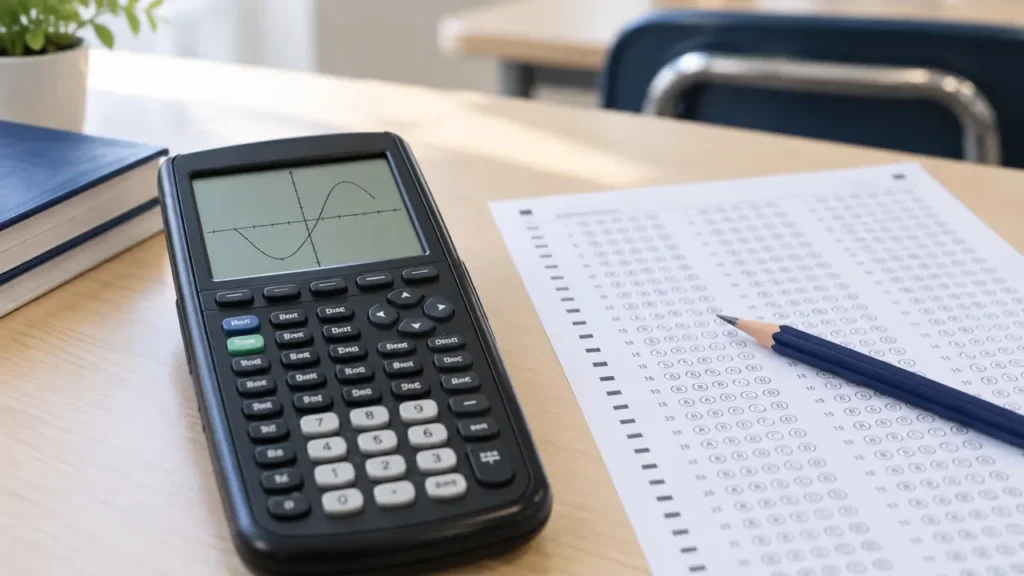
Yes. Graphing calculators are allowed on the SAT, provided the specific calculator meets College Board’s requirements. Under the current SAT policy, students may use an approved handheld calculator throughout the Math section. The digital SAT also includes an onscreen Desmos calculator, so bringing a handheld graphing calculator is optional.
Calculator permission does not apply to every graphing model. A calculator with a computer algebra system (CAS), internet access, a QWERTY keyboard, or another prohibited feature may be refused. Check the exact model and the current College Board rules before test day.
What Calculators Are Allowed on the SAT?
College Board generally permits:
- Most graphing calculators that do not have prohibited features
- Scientific calculators
- Four-function calculators, with limited functions such as square root
- The built-in Desmos calculator in the digital SAT testing application
A permitted graphing calculator can help with functions, tables, statistics, regression, and visual comparisons. The calculator still needs to comply with the exam’s restrictions, regardless of how useful it may be for schoolwork.
Are TI-84 Calculators Allowed on the SAT?
Common non-CAS TI-84 models, including the TI-84 Plus CE, are generally permitted on the SAT when they comply with the current College Board calculator rules. The TI-84 Plus CE can graph functions, create tables, perform statistical calculations, and solve many problems numerically.
The model name matters. Do not assume that every calculator in the TI-84 or TI-Nspire family has the same status. A TI-84 Plus CE, a TI-84 Plus CE Python, and a TI-Nspire CX II CAS are different models with different capabilities. Check the exact name printed on the calculator and compare it with the current official policy.
Are CAS Graphing Calculators Allowed?
No. Graphing calculators with a computer algebra system are not allowed under the SAT calculator restrictions. CAS software can manipulate mathematical expressions symbolically, which goes beyond ordinary numerical calculation and graphing.
For example, a CAS calculator may be able to transform an expression, solve some equations symbolically, or return an exact algebraic form. A non-CAS graphing calculator may still solve equations numerically, graph functions, and calculate numerical approximations. Those abilities do not automatically make it a CAS calculator.
Common examples of models that require careful checking include:
- TI-Nspire CX II CAS
- Casio ClassPad models
- Other calculators advertised with CAS or symbolic algebra functionality
The absence of the letters “CAS” in a product’s casual description is not enough to establish eligibility. Use the official College Board policy and the exact manufacturer model name.
Examples of Features That Can Make a Calculator Ineligible
College Board restrictions cover more than graphing and algebra capabilities. Calculators may be prohibited if they include features such as:
- Computer algebra functionality
- Internet or wireless communication access
- A QWERTY keyboard
- Text storage or other prohibited communication features
- A paper tape or printing function
- A requirement for an electrical outlet
- Noise that could disturb other test takers
Students cannot use a phone, tablet, laptop, smartwatch, or another prohibited electronic device as a substitute for an approved calculator. A calculator app on a personal device does not have the same status as the Desmos calculator built into the official digital SAT application.
How the Built-In Desmos Calculator Works
The digital SAT provides an onscreen Desmos calculator during the Math section. It includes graphing and scientific calculator functions, and students can switch between the available calculator modes within the testing application.
This option can be useful for graphing lines, comparing functions, examining intersections, checking tables, and working with numerical values. Students who plan to use it should practice with the official test preview or other College Board preparation tools before the exam. The interface differs from a TI-84, Casio graphing calculator, or scientific calculator.
The built-in tool does not change the handheld calculator rules. A student may use the approved calculator supplied through the testing application, an approved handheld calculator, or both when the test instructions permit it.
Can You Use a Graphing Calculator on Every SAT Math Question?
Yes. The current digital SAT allows calculator use throughout the entire Math section rather than limiting it to a particular part of the section. That does not mean every question requires a calculator. Some questions are faster with mental math, estimation, algebraic reasoning, or handwritten work.
A calculator can evaluate expressions and check results, but it does not replace understanding of:
- Linear and quadratic relationships
- Equivalent expressions
- Ratios, percentages, and proportional relationships
- Functions and their graphs
- Data analysis and statistics
- Geometry and trigonometry
Graphing may help reveal an intersection or a trend, but the displayed approximation still needs to be interpreted in the context of the question. A graphing calculator can also produce a numerical answer without explaining why that answer is mathematically valid.
What to Check Before Test Day
Use this checklist before bringing a handheld graphing calculator:
- Identify the exact model. Record the full model name, including labels such as “CAS” or “Python.”
- Check the current College Board calculator policy. Policies can change, so do not rely on an old classroom handout or retailer description.
- Confirm that the calculator has no prohibited CAS or communication features.
- Charge or replace the battery as appropriate. A permitted calculator may still be unusable if it loses power during the test.
- Remove unauthorized notes or stored material if required by the calculator rules. Follow the current test instructions for permitted calculator memory and stored programs.
- Practice with the same calculator or the built-in Desmos tool. Menu locations and key sequences differ between calculators.
Bring a calculator you already know how to operate. Learning a new interface during the exam can make routine tasks slower and increase the risk of entering an expression incorrectly.
What Happens if a Calculator Is Not Allowed?
Test staff may prevent a student from using a calculator that violates the rules. A calculator’s availability in a store, use in a math class, or acceptance on another exam does not establish SAT eligibility.
Calculator permission is also separate from calculator performance. A model may be powerful enough for advanced algebra or calculus and still be prohibited because it includes CAS or another restricted feature. Conversely, a basic scientific calculator may be allowed even though it cannot graph functions.
Bottom Line
Graphing calculators are allowed on the SAT when they meet College Board’s current requirements. Non-CAS models such as the TI-84 Plus CE are commonly used, while CAS graphing calculators and devices with prohibited communication or keyboard features are not allowed. The digital SAT also provides an onscreen Desmos calculator. Verify the exact model against the current official policy before test day, and practice with the calculator interface you plan to use.