Can You Use Desmos on the SAT?
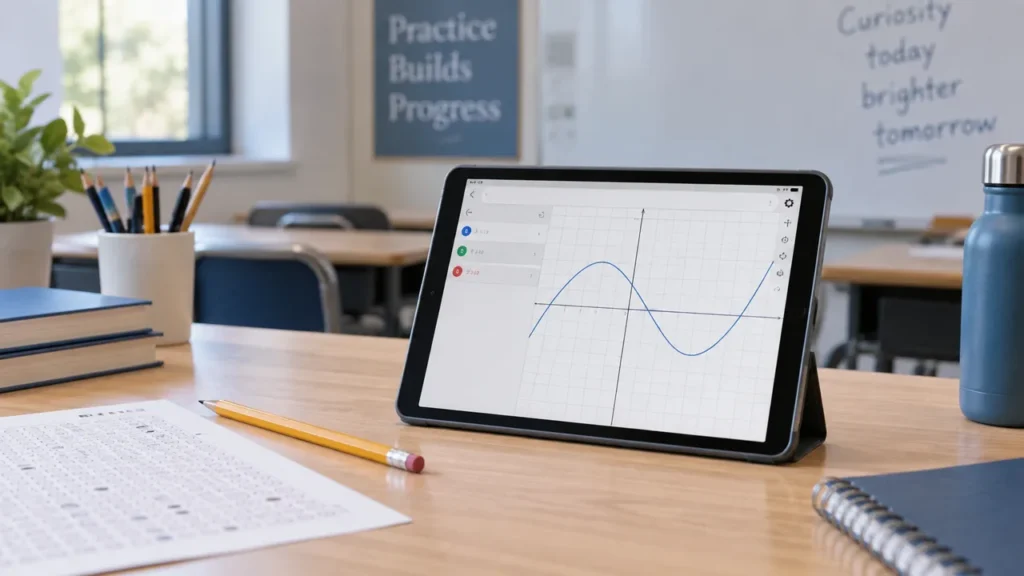
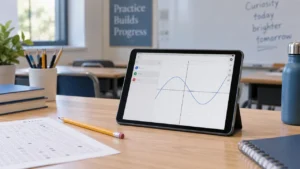
Yes. On the digital SAT, you can use the Desmos calculator built into the Bluebook testing application during the entire Math section. The built-in tool includes a graphing calculator and a scientific calculator, so you can select the version that fits the problem.
This permission applies to the calculator provided inside Bluebook. It does not mean you can open the Desmos website, use the Desmos mobile app, or access another calculator app during the test. You may also bring a separate calculator that meets College Board requirements, but using the built-in Desmos calculator is an available option for the digital SAT.
How Desmos Works on the Digital SAT
Bluebook provides an embedded calculator within the Math section. You can use it for both modules, and the SAT calculator policy allows calculator use throughout the digital Math section.
The built-in Desmos tool can help with tasks such as:
- Graphing linear, quadratic, exponential, and other functions
- Finding approximate zeros, intersections, and extrema from a graph
- Checking whether an equation or inequality was entered correctly
- Comparing two functions visually
- Evaluating numerical expressions
- Performing routine arithmetic and scientific calculations
Desmos produces numerical and graphical results. It does not automatically replace the algebraic reasoning required to understand a question. For example, a graph can show where two functions intersect, but you still need to identify what that intersection represents in the problem.
Built-In Desmos Versus the Desmos App
| Tool | Use on the digital SAT |
|---|---|
| Desmos calculator built into Bluebook | Permitted during the Math section |
| Desmos website in a browser | Not available as a separate browser activity during the test |
| Desmos mobile or tablet app | Not permitted as a separate app |
| Personal approved handheld calculator | Permitted if it meets College Board rules |
The testing device runs the Bluebook application in a controlled exam environment. Students cannot switch freely to unrelated websites or apps. Practice with the calculator inside Bluebook rather than assuming that the interface will function exactly like another version of Desmos.
How to Access Desmos During the SAT
The exact appearance of the Bluebook interface can change with software updates, but the calculator is available through the built-in testing tools in the Math section. Before test day, use an official Bluebook practice test to locate the calculator controls and try both calculator modes.
- Open an official Bluebook practice test or the SAT test interface supplied by College Board.
- Enter a Math module.
- Open the calculator tool from the testing interface.
- Select the graphing or scientific version of the calculator, depending on the task.
- Close or minimize the calculator when you need to return to the question.
Practice the navigation before the exam. The goal is to know where the tool is, how to switch modes, and how to return to the question without spending time searching through the interface.
What You Can Use Desmos For
Graphing Equations and Functions
Enter an equation or function into Desmos to display its graph. Graphing can help you examine slope, intercepts, turning points, and the relationship between two expressions.
For example, graphing y = 2x + 3 can help you identify the slope and y-intercept. Graphing two equations can reveal their intersection, which may represent the solution to a system of equations.
Finding Zeros and Intersections
A zero, or root, is an x-value where a function equals zero. On a graph, it appears where the curve crosses or touches the x-axis. An intersection is a point shared by two graphs. These are different ideas, so check which quantity the question asks you to report.
Desmos can provide a quick graphical approximation, but the graphing window and scale affect what you can see. If the result is close to an answer choice, use the original equation or another calculation to confirm it.
Checking Algebraic Relationships
You can graph expressions to check whether two forms appear equivalent over the relevant domain. This can help with questions involving transformations, systems, and function behavior.
A graph is a check, rather than a substitute for reading domain restrictions or interpreting the equation. Two expressions may look similar over a limited viewing window while behaving differently elsewhere.
Performing Numerical Calculations
The scientific version of the calculator handles arithmetic, powers, roots, trigonometric functions, logarithms, and related numerical operations. Check whether the problem uses degrees or radians before evaluating a trigonometric expression.
Do You Have to Use Desmos?
No. You can solve SAT Math questions by hand, use the built-in calculator, bring an approved handheld calculator, or combine these approaches. A calculator is a tool, not a requirement for every question.
Some questions are faster by hand, particularly when the arithmetic is simple or the problem tests an algebraic relationship. Desmos can be useful for graphing and checking numerical results, but entering an expression can take longer than solving a short equation directly.
Can You Bring Your Own Desmos Device?
You cannot bring a phone, tablet, laptop, or separate device running Desmos as your SAT calculator. Personal calculators must follow the College Board’s calculator rules. A personal graphing calculator may be allowed, but its eligibility depends on the official policy and the calculator’s features.
The safest approach is to check the current College Board calculator guidance for the specific model you plan to bring. Permission to use the Bluebook Desmos calculator does not automatically approve every physical calculator or every software device.
How to Prepare for Using Desmos on the SAT
- Complete official Bluebook practice tests on the device you expect to use.
- Practice switching between the graphing and scientific calculator views.
- Learn how to enter fractions, exponents, square roots, and trigonometric expressions.
- Practice graphing two functions and locating an intersection.
- Check the graph window when a feature or intersection is not visible.
- Confirm degree and radian settings before using trigonometry.
- Use answer choices and algebraic estimates to check calculator results.
- Bring an approved backup calculator if you prefer having a handheld option.
Do not wait until the exam to learn the interface. A few practice sessions with Bluebook can prevent lost time caused by unfamiliar controls or incorrectly entered expressions.
Does the Built-In Desmos Calculator Solve Every SAT Math Problem?
No. Desmos can graph functions and calculate numerical values, but it does not interpret the wording of a problem or decide which mathematical model applies. You still need to identify the known values, understand the question, and determine what the result means.
Graphing also has limits. A visual estimate may be affected by the viewing window, scale, rounding, or an intersection that is difficult to see. Use exact algebra when the question requires an exact value, and treat a graph as a way to explore or verify the relationship.
Bottom Line
You can use Desmos on the digital SAT through the calculator built into Bluebook. It is available during the Math section, including both modules. You cannot use a separate Desmos website, phone app, or personal device. Practice with the official Bluebook interface, learn the graphing and scientific modes, and verify results when a graph provides only an approximation.