Casio fx-CG50 Review: Features, Capabilities, and Limitations
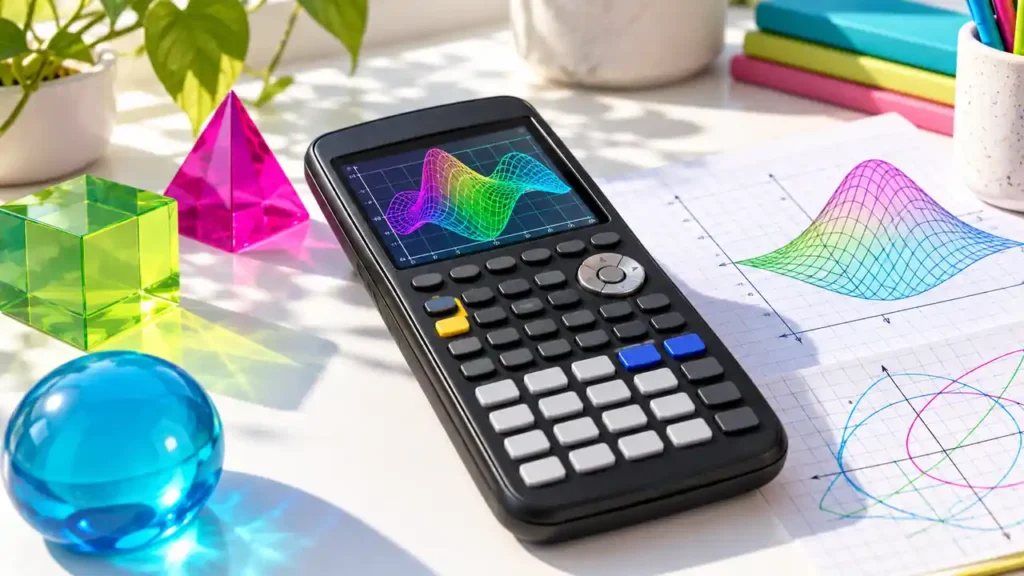
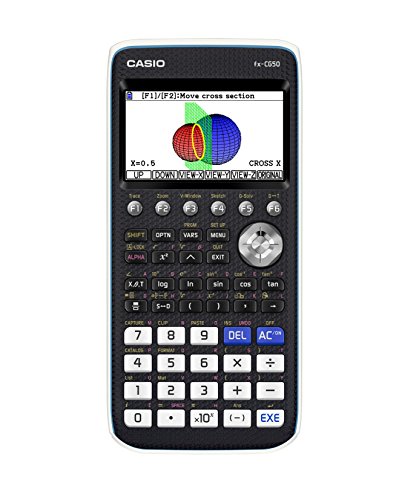
The Casio fx-CG50 is a color graphing calculator with 2D graphing, selected 3D graph types, numerical analysis, statistics, matrices, geometry tools, and a restricted calculator-side Python environment. Its combination of color plotting and 3D visualization makes it different from a monochrome classroom calculator, while its non-CAS design keeps it focused on numerical and graphical work rather than general symbolic algebra. Buyers should understand that “3D graphing” refers to Casio’s documented graph types, not unrestricted plotting of every surface equation.
Quick Answer
Consider the fx-CG50 when you need a color graphing calculator, want to visualize specific 3D surfaces, or expect to use its statistics and programming apps. It suits users comfortable learning Casio’s menu-and-app layout. It is not a CAS calculator: it can perform numerical graph analysis and calculator-side Python, but not general symbolic simplification. It runs on four AAA batteries; its USB connection is for computer communication, not charging. Confirm school and exam rules, as permissions depend on the test and year.
| Area | fx-CG50 details |
|---|---|
| Display | Color Natural Textbook Display; 216 × 384 pixels; 21 × 8 character grid |
| 2D graphs | Rectangular, polar, parametric, and sequence graphing |
| 3D graphs | Documented types include sphere, cylinder, plane, and line; up to three simultaneously |
| Math engine | Non-CAS; numerical equation/graph analysis and calculus tools |
| Programming | Casio BASIC-style programming and calculator-side MicroPython |
| Power / transfer | Four AAA cells; USB and 3-pin computer communication |
To buy this product, click here.
Color display and everyday graphing
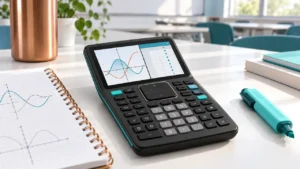
The 216 × 384 pixel color display supports Casio’s Natural Textbook Display and uses color to distinguish plotted expressions and data. The graphing environment handles rectangular, polar, parametric, and sequence equations. Users can compare curves, inspect tables, and apply numerical solving or graph-analysis tools. In statistics and data work, the calculator includes functions for common statistical analysis, distributions, matrices, vectors, complex numbers, and spreadsheet-style data handling.
Casio describes the fx-CG50 as a color graphing model, but the screen’s specification should not be mistaken for a touchscreen interface. It is operated through calculator keys and built-in apps. Users accustomed to another manufacturer’s menu structure may need to learn the navigation before using advanced features efficiently. If a course teaches Casio key sequences, the organization can be familiar; otherwise, check whether your instructor supports it.
What its 3D graphing does—and does not—mean
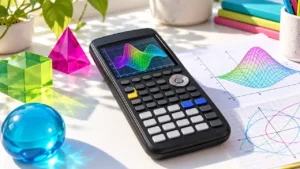
The fx-CG50 can render selected 3D graph forms, including spheres, cylinders, planes, and lines, and Casio documents up to three simultaneous 3D graphs. This allows visual comparison of supported objects and can be useful in lessons involving spatial geometry or specific surface equations. The graph types are selected from a defined feature set; the presence of 3D mode does not establish that the calculator can draw any arbitrary surface or replace a full computer algebra package.
For a course that specifically uses 3D graphing, verify which equation forms and commands the instructor expects. A marketing phrase such as “3D graphing” is less useful than a match between the actual graph type and the mathematics being taught. The official Casio guide and the unit’s software version are the right references for the specific syntax.
Numerical math, not CAS
The fx-CG50 can compute numerical values for derivatives, definite integrals, roots, and other graph-related questions. Those features support checking and visual exploration. They are not equivalent to a symbolic algebra system that transforms expressions into exact factored forms or returns general symbolic derivatives and indefinite integrals.
Casio’s support documentation explains that the fx-CG series cannot simplify symbolic expressions because this is a CAS function; the FAQ names the fx-CG50 and fx-CG100 among the relevant models. This distinction matters when a syllabus asks for exact algebraic output. The calculator may show a decimal approximation or help locate an answer numerically, while the user still supplies the algebraic derivation.
Python and programming limits
Casio provides calculator-side MicroPython along with a BASIC-style environment. MicroPython is a constrained implementation for a calculator, not the same setup as desktop Python. The available modules and functions are limited, and a program may need to be adapted for the device rather than copied from a desktop environment. Students choosing the fx-CG50 for coding should review Casio’s current manual for supported commands, file-transfer procedure, and restrictions.
Program capacity, user storage, and working memory are distinct concepts. Casio lists a program capacity figure on its product materials; that does not mean every byte is available for arbitrary data or runtime variables. Use the manual’s exact description when a class program has size or memory requirements.
Power and computer connection
The fx-CG50 uses four AAA batteries, with compatible alkaline or NiMH battery guidance in Casio materials. The calculator also offers USB and 3-pin computer communication. This port is used for transfer and connectivity; do not assume it charges the batteries. If you expect to use a computer workflow, verify the current Casio software and system compatibility before depending on it for a lesson.
For a portable calculator, replaceable batteries are convenient where charging access is limited, but they are a different ownership pattern from a rechargeable CE or Nspire model. Battery life varies with use, so this review does not treat a single manufacturer runtime figure as a guarantee for every classroom routine.
Exam rules
The SAT’s current calculator policy permits non-CAS graphing calculators subject to its rules on algebra-capable programs and stored documents. The ACT’s calculator policy permits many graphing models while restricting specified functions and requiring compliance with program/document rules. Check the current version on the official site shortly before testing.
For AP, the College Board’s AP calculator policy is organized by subject. Casio graphing models are listed for applicable exams, but 2027 rules prohibit handheld graphing calculators with storage on AP Biology and AP Environmental Science. Do not assume eligibility for all AP subjects because an fx-CG50 appears on an approved list for one course.
Using graphing and data tools in context
For 2D coursework, the fx-CG50 connects equation entry, a plotted curve, a table, and numerical analysis. In statistics, lists and regression functions help move from recorded data to a fitted relationship; students still need to choose the correct model and evaluate whether its assumptions fit the data. In matrix or vector work, built-in operations can check arithmetic while written work explains the setup.
Its 3D app is most relevant when the class uses the forms Casio documents. Before an assignment, compare the required surface with the named graph types and review the viewing controls in the official manual. A supported plot may help reveal intersections or spatial structure, but a single angle can hide a feature. Use cross-section or axis views when they fit the question, and validate conclusions with the equation or other course methods.
What to check in a course or used listing
Compare the syllabus with the fx-CG50’s exact apps: graphing, statistics, matrices, vectors, spreadsheets, and the supported 3D forms. If your teacher requires a specific Python module or a class file, verify its compatibility with the calculator’s MicroPython version and transfer method. A Python label by itself does not establish that a desktop program can be copied unchanged.
For a used calculator, check the color display, key response, battery compartment, USB and 3-pin ports, and whether the unit can enter the apps listed in the manual. Confirm that the device is actually the fx-CG50 and not a related Casio model. Accessory bundles may vary, so verify the cable and protective case separately. Do not assume the connection charges the calculator; plan for four AAA batteries.
Limitations and alternatives
- No general CAS: exact symbolic simplification and algebra are outside the fx-CG50’s scope.
- Defined 3D feature set: supported graph types are not the same as an unrestricted desktop graphing system.
- Restricted Python: calculator MicroPython has a limited environment and module set.
- AAA power: it does not replace the rechargeable-battery workflow of some competing models.
- Learning curve: Casio’s menu structure differs from TI interfaces; class support is important.
If symbolic algebra is essential, compare a CAS calculator such as the TI-Nspire CX II CAS or HP Prime, while accounting for their SAT and ACT restrictions. If you prefer a TI-84 style classroom workflow, the TI-84 Plus CE has a color display but no general CAS or built-in 3D mode. The fx-CG100 is another Casio color model with a newer ClassWiz-oriented interface; verify the desired model’s 3D and programming details instead of assuming they are identical.
Who should consider the fx-CG50?
It may suit: students who need standard graphing, data and statistics tools, numerical analysis, and selected 3D plots; users who want a color display and replaceable AAA batteries; or classes that use Casio software and manuals.
Look elsewhere if: you need a CAS for exact symbolic steps, general Python compatibility, USB charging, an unrestricted 3D plotting tool, or your teacher requires another calculator family. Exam eligibility should be checked separately, even if the model’s non-CAS architecture fits a general rule.
Frequently asked questions
Does the fx-CG50 have CAS?
No. The fx-CG50 is non-CAS and does not provide symbolic simplification.
Which 3D graph types does it support?
Casio’s product materials include supported types such as sphere, cylinder, plane, and line, with up to three graphs at once. Check the manual for exact forms.
Can it do calculus?
It includes numerical derivative and integral functions and related graph-analysis tools. It does not produce general symbolic calculus expressions.
Does it run Python?
It runs calculator-side MicroPython. Its module and function set is restricted compared with desktop Python.
Can USB charge it?
Casio documents USB computer communication, while the fx-CG50 is powered by four AAA cells. Do not treat its USB connection as a battery charger.
Is it allowed on the SAT, ACT, or AP exams?
Check each current official policy. SAT and ACT have non-CAS and stored-program rules; AP permissions vary by subject and include new 2027 restrictions.
Is fx-CG50 the same as fx-CG100?
No. They are separate models. Compare the exact product page and manual; do not transfer interface or hardware details from one to the other.
Should I get it for a class?
Ask whether the teacher supports the Casio menus, files, and required graph types. Compatibility may matter more than a feature that the class never uses.
Final verdict
The fx-CG50 offers useful color 2D graphing, numerical tools, broad statistics functions, calculator-side MicroPython, and a documented collection of 3D graph types. Its limits are just as important: it is non-CAS, does not provide full desktop Python, and uses AAA batteries rather than USB charging. For students whose course values Casio tools or 3D visualization, it is a distinctive option. For symbolic algebra, unrestricted software, or a course built around another interface, compare alternatives and confirm the exact class and exam requirements first.