Graphing Calculator vs Desmos: Key Differences Explained
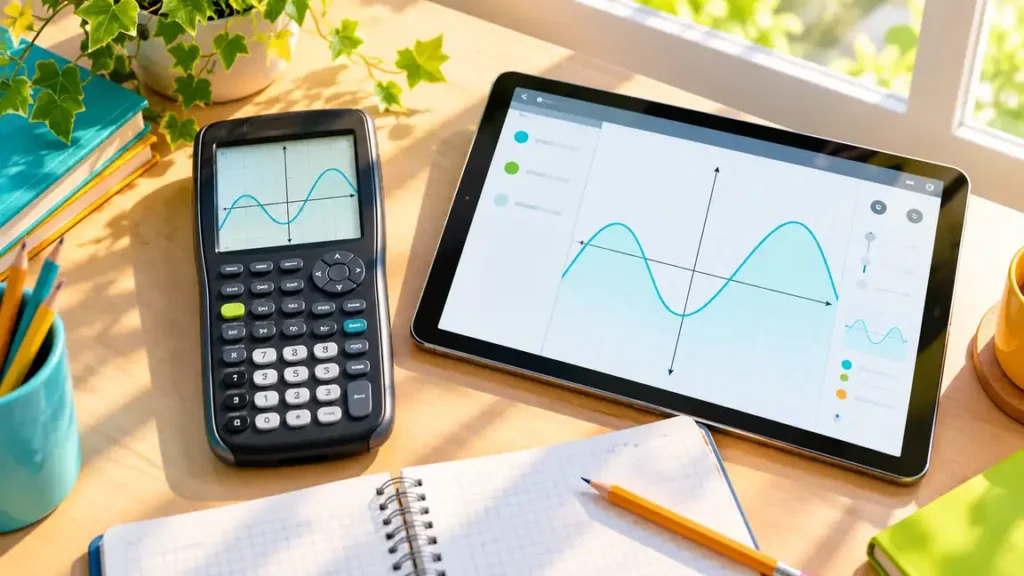
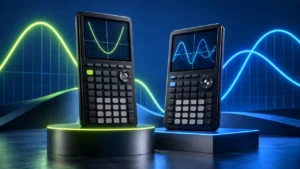
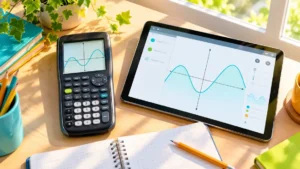
A physical graphing calculator and the Desmos Graphing Calculator can both plot functions, display mathematical relationships, and help you investigate features such as intercepts and intersections. The fundamental difference is not simply screen size or the appearance of the graph. A handheld graphing calculator is a dedicated computing device with its own display, processor, battery, keypad, and model-specific software. Desmos is graphing software that runs within another device or testing environment.
That difference affects how the tools are accessed and used. Desmos presents an expression list beside an interactive graph and makes features such as sliders, tables, and direct viewport manipulation prominent in its interface. A physical graphing calculator uses its own keys, menus, applications, and graph-analysis commands, which vary substantially from one model to another.
Assessment use adds another layer. The ordinary Desmos Graphing Calculator and a Desmos calculator embedded inside testing software are not necessarily the same context. Some exams provide an embedded Desmos calculator while also permitting certain handheld calculators, so the practical question may be which approved environment you will actually use rather than which graphing tool is universally preferable.
Quick Answer
Desmos provides a software-based graphing environment with an expression list, interactive graphs, tables, sliders, points of interest, and direct viewport controls. It can be particularly useful when you want to change parameters and immediately see how a graph responds.
A physical graphing calculator is a standalone device with a fixed hardware and software environment. Its graphing, statistics, programming, calculus, matrix, Python, 3D, or CAS capabilities depend on the exact model. A handheld becomes especially relevant when a course teaches a specific calculator workflow or when an assessment permits or requires a standalone device.
For exams, check the exact current policy. Access to an embedded Desmos calculator does not automatically mean that the ordinary Desmos website or app is permitted, and permission to use a handheld graphing calculator does not mean that every graphing model is allowed.
Graphing Calculator vs Desmos: Comparison Table
| Feature | Physical Graphing Calculator | Desmos Graphing Calculator |
|---|---|---|
| What it is | Dedicated handheld computing device | Graphing software running on a host device or within another software environment |
| Graphing | On-device graphing; supported graph types vary by model | Interactive software-based graphing with an expression list and coordinate plane |
| Expression entry | Physical keys and model-specific menus or applications | Visible expression list with keyboard or on-screen input |
| Viewing window | Model-specific window, zoom, and navigation controls | Interactive viewport with pan, zoom, and graph settings |
| Dynamic parameters | Capabilities vary by model; some provide dynamic graphing or parameter tools | Sliders are integrated prominently into the general graphing workflow |
| Intersections and intercepts | Model-specific trace, calculate, solve, or graph-analysis tools | Points of interest can identify supported intercepts and intersections |
| Tables | Common on many models; exact workflow varies | Integrated tables can be used alongside expressions and graphs |
| Display | Fixed built-in display determined by the calculator model | Uses the display area provided by the host device or testing environment |
| Input | Dedicated physical keypad; some models add touch or touchpad input | Depends on host device; may use keyboard, mouse, trackpad, touch, or on-screen keypad |
| Programming | Model-dependent; languages and environments vary | Not equivalent to a handheld calculator’s model-specific programming environment |
| General CAS | Some models have CAS; many graphing calculators do not | The general Desmos Graphing Calculator should not be treated as a general-purpose CAS |
| Hardware independence | Operates as its own device | Depends on another device or an embedded testing platform |
| Exam use | Depends on exact calculator model and assessment policy | Depends on whether the assessment provides or permits the relevant Desmos environment |
The mathematical overlap is substantial, but the two approaches package graphing differently. A handheld provides a fixed combination of hardware and model-specific software. Desmos provides a software interface whose display, input method, and availability depend partly on where it is running.
The Fundamental Difference Is Dedicated Hardware vs Graphing Software
A physical graphing calculator contains everything needed to operate as a standalone device. Its processor, memory, display, battery, keypad, operating system, graphing tools, and other mathematical capabilities belong to that particular calculator.
Desmos Graphing Calculator is software. It can run within a broader computing environment, so the physical display and input hardware belong to the computer, tablet, phone, or testing device rather than to Desmos itself.
This distinction explains several practical differences at once. A handheld has a fixed screen and keypad. Desmos can occupy different amounts of screen space and can be controlled through different input methods depending on the host environment.
It also means that a physical calculator’s capabilities can often be described by a specific model number, while the Desmos experience needs additional context. The general web calculator, an app-based environment, and a version embedded inside testing software should not automatically be treated as identical situations.
The Core Graphing Capabilities Overlap
Both approaches can perform the central job implied by the term graphing calculator: representing mathematical relationships visually.
Suppose you enter y = x2 − 4. Desmos can display the parabola and allow you to investigate its intercepts and other features. A physical graphing calculator can also plot the function, although the exact sequence for entering, displaying, and analyzing it depends on the model.
The same applies when comparing multiple functions. Both environments can show curves on the same coordinate plane and help you investigate where they meet.
The important difference is often not whether a basic function can be plotted, but how expressions are entered, how the viewing area is controlled, how graph features are analyzed, and what additional mathematical tools surround the graphing environment.
Both Have a Viewing Window, but You Control It Differently
A graph is always displayed through a particular portion of the coordinate plane. This matters whether you use Desmos or a handheld calculator.
On a traditional graphing calculator, the workflow may involve model-specific window settings, zoom commands, navigation keys, or automatic graphing tools. A poorly chosen window can hide a root, flatten an important feature, or make a function appear to be missing.
Desmos uses an interactive viewport. Depending on the host device, you can pan around the coordinate plane, zoom in or out, and use graph settings to control the visible range.
The mathematical issue is the same on both platforms: the displayed graph is only the portion of the mathematical object currently inside the visible coordinate range. The interaction method is what changes.
Desmos Makes Dynamic Parameters Especially Visible
One of the most recognizable parts of the Desmos workflow is its use of sliders for free variables.
Enter an expression such as y = ax2, and the parameter a can be connected to a slider. Changing the slider immediately changes the graph, making it possible to observe how the parabola widens, narrows, or changes orientation as the parameter changes.
Slider bounds and step values can be controlled, and sliders can also be animated. The same variable can be used across multiple expressions so that related graphs change together.
This does not mean that physical graphing calculators are universally incapable of dynamic parameter exploration. Some models provide dynamic graphing, interactive geometry, or other parameter-based tools. Those capabilities and their workflows are model-dependent.
The distinction is that sliders are a prominent and integrated part of the general Desmos graphing interface, while comparable behavior on a handheld needs to be checked for the exact calculator.
Points of Interest and Handheld Graph Analysis Use Different Workflows
Desmos can identify supported points of interest on a graph, including intercepts and intersections. Selecting a curve can reveal these points, and their displayed coordinates can then be inspected.
A handheld graphing calculator may reach similar numerical information through model-specific graph-analysis commands. Depending on the calculator, the workflow might involve tracing a graph, opening a calculation menu, selecting an intersection command, using a solve function, or working through another analysis environment.
These interface differences matter when following classroom instructions. A teacher demonstrating a sequence of TI-84 commands is teaching a different workflow from selecting a point of interest in Desmos, even when both methods ultimately investigate the same intersection.
The mathematical concept can transfer between platforms while the operating procedure does not.
Graph Pixels, Numerical Coordinates, and Symbolic Results Are Different
A curve that appears to cross the x-axis at a particular location provides visual information, but reading the crossing directly from the screen is not the same as calculating its coordinate.
A graphing environment may provide a numerical tool that identifies an intercept or intersection and displays a coordinate. That calculated numerical result should also be distinguished from an exact symbolic solution.
These are three different levels of information:
- Visual estimate: judging a location from the displayed graph.
- Calculated numerical result: using a graph-analysis or numerical tool to obtain a coordinate or value.
- Exact or symbolic result: preserving exact mathematical form or manipulating an expression symbolically where the software or calculator supports it.
A smoother-looking graph or larger display does not make a numerical answer exact. Likewise, a graphing tool’s ability to identify an intersection does not by itself establish general symbolic algebra capability.
Desmos Uses the Host Device’s Display and Input
It is tempting to describe Desmos as having a larger screen than a handheld calculator, but Desmos does not have one fixed physical display.
Its available graphing area depends on the device and environment in which it runs. A laptop, tablet, phone, and embedded testing interface can provide different amounts of screen space and different input methods.
The general interface can keep an expression list visible alongside the graph, which allows multiple expressions and their corresponding plots to remain connected visually. The exact amount of usable space still depends on the host environment.
Input also varies. Depending on the setup, Desmos may be controlled through a physical keyboard, mouse, trackpad, touchscreen, or on-screen mathematical keypad.
A Handheld Has a Fixed Hardware and Software Environment
A physical graphing calculator takes the opposite approach. Once the model is known, its screen, keypad, battery system, ports, memory, operating environment, and supported mathematical features are relatively well defined.
That consistency can matter when a course teaches procedures using exact keys and menus. Instructions written for a TI-84 Plus CE, for example, can refer to particular calculator commands because every student using that model is working with essentially the same physical control layout.
The limitation is that graphing calculators are not one standardized platform. Procedures that work on one model may not transfer directly to a Casio, NumWorks, HP, or another TI platform.
The phrase “physical graphing calculator” therefore describes a category of devices rather than one universal interface.
Graphing Calculator Features Depend on the Exact Model
A handheld can provide capabilities beyond ordinary function plotting, but the graphing category does not guarantee a particular advanced feature.
Depending on the model, a graphing calculator may include statistics, regression, matrices, vectors, equation solving, numerical derivatives and integrals, programming, calculator-side Python, 3D graphing, geometry, spreadsheets, or a general Computer Algebra System.
Other models may omit some or many of those capabilities.
This means that comparing “Desmos” with “a graphing calculator” has a natural limit. Desmos refers to a particular software platform, while the handheld side covers many different products. If a specific mathematical feature matters, the comparison eventually needs to move from category level to model level.
Desmos Is Not a General-Purpose CAS
The general Desmos Graphing Calculator can work with mathematical expressions, equations, functions, derivatives, and many other mathematical objects, but it should not be treated as a general-purpose Computer Algebra System comparable to a dedicated CAS calculator.
Graphing and CAS are different capabilities. Showing where two functions intersect does not automatically produce the algebraic steps that solve the system. Evaluating or displaying a derivative-related result is also different from providing a general symbolic environment for manipulating expressions.
The same warning applies to physical graphing calculators. Some handheld graphing models include CAS, while many widely used models are non-CAS.
If general symbolic manipulation is required, verify CAS capability separately rather than assuming that either the word “graphing” or the ability to work with algebraic expressions establishes it.
The General Desmos Calculator and Embedded Desmos Are Different Contexts
Desmos can appear in more than one environment, and this becomes especially important during assessments.
The ordinary Desmos Graphing Calculator used during study is a general graphing environment. A testing organization can instead provide a Desmos calculator embedded inside its own secure testing application.
An embedded calculator exists within the rules and technical limits of that assessment. Its availability does not imply that students may open the ordinary Desmos website, use the Desmos app on a personal device, or access graphs they created elsewhere.
For that reason, “Desmos is allowed” is not precise enough when preparing for an exam. The relevant questions are which Desmos calculator is provided, during which portions of the assessment it is available, and what outside calculators are separately permitted.
SAT: Embedded Desmos and a Permitted Handheld Can Coexist
Under the current SAT Suite calculator policy, Bluebook includes an embedded Desmos calculator with graphing and scientific options, and students can switch between those calculator types during the Math section.
The policy also allows students to use their own approved handheld calculator. This means that, in the SAT environment, embedded Desmos and a permitted physical calculator are not necessarily mutually exclusive choices.
The current SAT Suite policy does not permit calculators with CAS functionality. That rule applies independently of whether a calculator is capable of graphing.
For preparation, the useful distinction is therefore between the tools actually permitted in Bluebook and the approved handheld calculator a student may bring. Familiarity matters because the same mathematical task can require a different operating workflow in Desmos and on a physical calculator.
ACT: Built-In Desmos and External Calculator Rules Are Separate
Students taking the ACT online currently have access to a Desmos graphing calculator built into the testing platform during the Math section.
ACT also maintains a separate policy for calculators that students bring themselves. Permitted 4-function, scientific, and graphing calculators can be used subject to the current policy, while calculators with built-in or downloaded CAS functionality are prohibited.
ACT also prohibits using ordinary handheld computers, tablets, laptops, or calculators built into cell phones as external calculator devices. The presence of built-in Desmos on the online ACT therefore does not mean that a student can substitute the general Desmos website running on a personal phone or laptop.
The embedded software and the external-calculator policy are separate parts of the testing setup.
AP Exams Use Exam-Specific Calculator Rules
AP calculator rules vary by subject, so there is no single “Desmos versus handheld” rule that applies to every AP Exam.
For AP Exams that allow or require calculators, Bluebook can provide an appropriate built-in Desmos calculator. Depending on the subject, this may be a graphing, scientific, or 4-function calculator.
Calculator availability can also vary within an exam. For example, AP Calculus AB, AP Calculus BC, and AP Precalculus include portions where calculator use is required and portions where calculators are not allowed.
College Board also distinguishes the built-in Bluebook calculator from ordinary Desmos access during the exam. The web-based or app-based Desmos calculator used during the school year is not a substitute for the built-in Bluebook version during an AP Exam.
Handheld rules also depend on the AP subject and current exam year. Check the current official calculator policy for the exact AP Exam rather than carrying the rules from one subject into another.
Exam Mode and Exam Permission Are Not the Same Thing
A calculator manufacturer may provide an exam mode, test mode, or feature-restriction setting. That does not independently establish that the calculator is permitted on a particular assessment.
Likewise, an assessment’s use of embedded Desmos does not establish that every external device capable of running Desmos is allowed.
The exam administrator’s current policy determines eligibility. Manufacturer descriptions, retailer listings, classroom practice, and the existence of a test mode should not replace that policy.
For Homework, the Two Tools Can Complement Each Other
When both tools are available, they do not have to be treated as substitutes.
Desmos can be used to change parameters, compare several expressions, build tables, and inspect graphs through its software interface. A physical calculator can be used to practice the model-specific commands and key sequences required by a course.
For example, a student studying transformations could use a Desmos slider to examine how changing a affects y = ax2, then reproduce selected cases on the handheld calculator used in class.
The mathematical concept remains the same even though the interaction methods differ.
Which Environment Fits the Work?
The useful starting point is the environment in which the graphing will actually happen.
- For dynamic parameter exploration, Desmos provides sliders and an expression list directly within its general graphing interface.
- For plotting and numerical graph analysis, both approaches can provide substantial capability, although handheld procedures depend on the exact model.
- For a course built around a particular calculator, learning that model’s keys, menus, and graph-analysis commands may be necessary even if Desmos can visualize the same functions.
- For independent handheld operation, a physical graphing calculator provides its own hardware rather than depending on another computing device.
- For programming, Python, matrices, 3D graphing, or CAS, check the exact handheld model rather than assuming those features come with every graphing calculator.
- For an assessment with embedded Desmos, practice with the calculator environment provided by that testing platform rather than assuming the ordinary website will behave identically in every respect.
- For an assessment that permits handheld calculators, verify the exact model against the current official policy.
Frequently Asked Questions
Can Desmos replace a physical graphing calculator for school?
For many graphing tasks, Desmos and a handheld calculator overlap substantially. Both can plot functions and support numerical investigation of graphs. Whether Desmos can replace a handheld in a particular course depends on the instructor’s requirements, the mathematical features needed, and the tools permitted during assessments.
Is Desmos a graphing calculator?
Desmos Graphing Calculator is graphing-calculator software rather than a dedicated handheld device. It provides an expression list, coordinate plane, tables, sliders, points of interest, viewport controls, and other tools for mathematical graphing and exploration.
Does Desmos have CAS?
The general Desmos Graphing Calculator should not be treated as a general-purpose CAS comparable to a dedicated CAS calculator. Desmos can work with many mathematical expressions and operations, but graphing, numerical analysis, and general symbolic manipulation are different capabilities.
Can Desmos find intersections?
Desmos can identify supported points of interest, including intersections between curves, and display their coordinates. A displayed numerical coordinate should still be distinguished from a visual estimate and from an exact symbolic solution.
Does Desmos have sliders?
Yes. Free variables can be connected to sliders, allowing parameters to change dynamically. Slider bounds and step values can be adjusted, and sliders can be animated. A variable can also be shared across multiple expressions.
Can physical graphing calculators use sliders?
There is no category-wide answer. Some graphing calculators provide dynamic graphing or other parameter-exploration tools, but the capability and workflow depend on the exact model. Desmos makes sliders a prominent part of its general graphing interface.
Do Desmos and handheld graphing calculators both have a viewing window?
Yes, in the sense that both display a selected region of the coordinate plane. Traditional handheld calculators generally use model-specific window and zoom controls, while Desmos provides an interactive viewport with pan, zoom, and graph settings.
Is Desmos more accurate than a graphing calculator?
Screen appearance does not establish mathematical accuracy. A smooth curve or clearly displayed intersection is still a visual representation. When a value matters, distinguish a visual estimate from a calculated numerical result and from an exact symbolic result.
Can I use Desmos on the SAT?
The current SAT Suite uses an embedded Desmos calculator in Bluebook, with graphing and scientific options available during the Math section. Students may also use an approved handheld calculator under the current policy. The ordinary Desmos website on a personal device should not be confused with the embedded Bluebook calculator.
Can I use Desmos on the ACT?
The online ACT currently provides a built-in Desmos graphing calculator during the Math section. ACT separately regulates calculators that students bring themselves, so access to embedded Desmos does not mean that a personal phone, tablet, or laptop running Desmos can be used as an external calculator.
Can I use Desmos on an AP Exam?
Calculator rules depend on the specific AP Exam. For AP Exams that allow or require calculators, Bluebook can provide the appropriate built-in Desmos calculator. Only the built-in Bluebook Desmos environment can be used during the AP Exam rather than the ordinary web-based or app-based Desmos calculator. Availability can also differ by exam section.
Do I need to learn a handheld calculator if I already know Desmos?
That depends on the course and assessment environment. If instruction or testing requires a particular handheld model, learning its keys, menus, window controls, and graph-analysis commands is useful because those procedures differ from the Desmos interface. If the permitted environment is embedded Desmos, practicing that workflow may be more directly relevant.
Final Verdict
A physical graphing calculator and Desmos overlap substantially in function plotting and numerical graph exploration, but they package those capabilities differently. A handheld is a dedicated device with fixed hardware and a model-specific interface. Desmos is software whose display, input method, and availability depend on the device or testing environment in which it runs. Its expression list, interactive viewport, tables, sliders, and points of interest create a different workflow from the keys, menus, window settings, and graph-analysis commands found on handheld calculators.
The surrounding environment usually determines which differences matter. A course may teach a particular handheld model, while unrestricted study may allow Desmos alongside other tools. SAT, ACT, and AP testing environments can provide embedded Desmos while applying separate rules to external calculators, and those policies can change over time. For programming, Python, 3D graphing, CAS, or other advanced features, check the exact handheld model separately. For assessment use, check the current official rules and practice with the calculator environment you will actually be permitted to use.