Best Non-CAS Graphing Calculator: 9 Picks in 2026
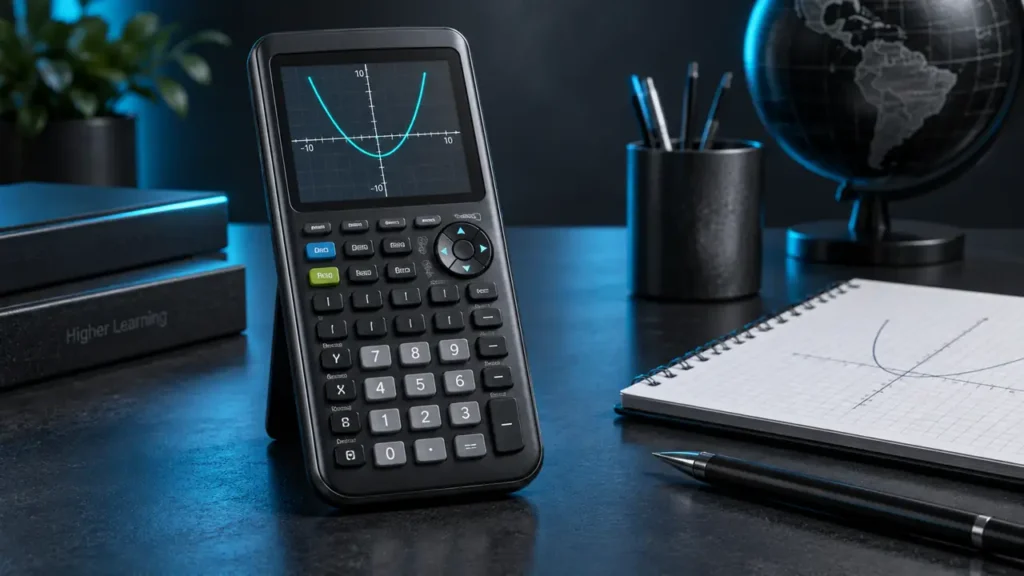
A graphing calculator can plot functions, organize data, and display mathematical relationships without relying on symbolic algebra. That distinction matters for buyers searching for the best non-CAS graphing calculator, especially when a course or testing environment expects numerical tools rather than a computer algebra system. The challenge is separating genuine graphing models from ordinary scientific calculators that handle trigonometry and statistics but cannot draw functions.
The most useful features here are clear graphing, readable notation, practical statistics tools, and an interface that does not bury routine calculations under advanced menus. A color display may help distinguish several plotted functions, while a simplified keypad can reduce the number of steps needed for common work. Programming claims also deserve careful attention, since a calculator can support graphing without supporting Python or another programming language. Different buyers will value different combinations, but the Texas Instruments TI-84 Plus CE offers the strongest overall balance for general non-CAS graphing work.
Several alternatives make sense for specific priorities. The TI-84 Evo focuses on a simplified interface and larger graphing area, the Casio Prizm FX-CG50 adds 3D graphing and MicroPython, and the CATIGA CS-121 aims to provide graphing functions in a compact scientific-calculator format. The comparisons below keep those differences in view instead of treating every model as interchangeable.
Quick Answer
- Best Overall: Texas Instruments TI-84 Plus CE for textbook-style notation, color graphing, and a rechargeable battery.
- Best for Streamlined Navigation: TI-84 Evo for its icon-based home screen, larger buttons, and expanded graphing area.
- Best for 3D Graphing: Casio Prizm FX-CG50 for 3D functions, color graphing, and MicroPython support.
- Best Budget-Oriented Option: CATIGA CS-121 for buyers seeking graphing, statistics, and equation tools in a compact format.
Best Non-CAS Graphing Calculator Comparison Table
| Product | Best For | Graphing Features | Notable Feature |
|---|---|---|---|
| Texas Instruments TI-84 Plus CE | General coursework | Color graphing | MathPrint notation and rechargeable battery |
| TI-84 Evo | Streamlined classroom use | Larger graphing area | Icon-based home screen |
| Casio Prizm FX-CG50 | 3D visualization and programming | Color, dynamic, polar, rectilinear, and 3D graphing | MicroPython support |
| CATIGA CS-121 | Budget-conscious graphing | Function plotting and graph analysis | 360+ listed functions |
The reviews below explain where each model fits, including the practical trade-offs that separate a familiar classroom calculator from a more specialized graphing tool.
1. Texas Instruments TI-84 Plus CE, Best Overall

The TI-84 Plus CE is the most balanced pick for buyers who want a familiar graphing workflow without a CAS feature being identified in the supplied product information. Its color graphing can help separate multiple functions on the same screen, while MathPrint displays formulas, mathematical symbols, and stacked fractions in a textbook-like layout. That matters during algebra or precalculus work, where a cramped line of text can make a sign or fraction easy to misread.
The rechargeable battery is another practical advantage for regular coursework, with the listing stating that it can last up to one month on a charge. The included online calculator subscription adds a software component, although buyers should distinguish that from the handheld itself. This model suits someone who wants a mainstream graphing format with readable notation rather than a touchscreen or a specialized programming environment.
Pros
- Color display supports visual separation of plotted functions.
- MathPrint shows stacked fractions and mathematical notation.
- Rechargeable battery is listed with runtime of up to one month per charge.
- Suitable for graphing work across middle school through college, according to the listing.
- Includes a four-year subscription for the TI-84 Plus CE online calculator.
Cons
- The supplied information does not identify CAS functionality.
- The listing does not clearly describe advanced graphing modes beyond color graphing.
This model makes the most sense for general algebra, precalculus, and introductory graphing tasks where readable notation and a familiar keypad matter. Buyers who specifically want 3D graphing, MicroPython, or a touchscreen should look at the Casio or HP alternatives, but the TI-84 Plus CE remains the clearest all-purpose choice in this group.
To buy this product, click here.
2. TI-84 Evo, Best for Streamlined Navigation

The TI-84 Evo takes a different route than the more established TI-84 Plus CE. Its supplied specifications emphasize an icon-based home screen, larger buttons, and reduced keypad clutter. For someone who spends more time finding menus than entering equations, those changes may make routine graphing and calculation steps easier to locate. The listing also describes a processor that delivers three times faster performance and a graphing area that is 50 percent larger.
Those claims make the Evo appealing for buyers who want a newer interface centered on visibility and navigation. The product information does not specify the display color system, battery design, or CAS status, so those details should not be assumed from the TI-84 name alone. It is best viewed as a streamlined graphing model whose appeal rests on interface changes and screen space.
Pros
- Icon-based home screen places commonly used tools in a central menu.
- Larger buttons may help reduce keypad clutter during routine entry.
- Listing describes three times faster performance.
- Listing describes 50 percent more graphing space.
- Built for everyday classroom use, according to the product information.
Cons
- Battery type and charging details are not clearly specified.
- The supplied information does not identify CAS functionality or display color capability.
Choose the TI-84 Evo if interface layout and graph visibility matter more than a long list of documented extras. The TI-84 Plus CE provides clearer supplied information about color, MathPrint, and rechargeable power, while the Evo is the more interesting pick for buyers drawn to its reorganized controls and larger graphing workspace.
To buy this product, click here.
3. Casio Prizm FX-CG50, Best for 3D Graphing

The Casio Prizm FX-CG50 is the specialist option here. Its supplied features include color graphing, dynamic graphing, polar and rectilinear graphing, and support for up to three 3D functions such as spheres, cylinders, and planes. That gives it a different flavor from a conventional 2D classroom graphing calculator. A student working with spatial relationships or wanting to see equations represented in more than one format has a clearer reason to choose this model.
MicroPython support adds a programming path that is explicitly identified in the listing. That should not be confused with full desktop Python, but it is still a meaningful distinction for buyers who want programming on the calculator itself. Natural Textbook Display is also listed, giving expressions and results a more familiar visual format.
Pros
- Supports up to three listed 3D functions, including spheres, cylinders, and planes.
- Provides color, dynamic, polar, and rectilinear graphing.
- Includes MicroPython support.
- Natural Textbook Display presents expressions in textbook-style formatting.
- Supports complex numbers, statistics, and geometry according to the listing.
Cons
- MicroPython should not be treated as full desktop Python support.
- The supplied information does not clearly specify the battery system or charging method.
The FX-CG50 suits buyers who want graphing breadth, especially 3D visualization and MicroPython. Someone seeking the most conventional classroom workflow may prefer a TI-84 model, while a buyer focused on symbolic mathematics should verify course requirements carefully because the supplied information does not identify CAS functionality.
To buy this product, click here.
4. CATIGA CS-121, Best Budget-Oriented Option

The CATIGA CS-121 is aimed at buyers who want actual graphing in a body shaped around a scientific-calculator workflow. The listing describes function plotting, graph analysis, and simultaneous viewing of the graph and formula. That arrangement may appeal to someone stepping up from a basic scientific calculator and wanting to see whether an equation produces the expected curve without moving between separate tools.
Its listed functions include fractions, complex numbers, statistics, linear regression, standard deviation, and variable solving. The product information also identifies three smart modes and a compact body weighing 6.4 ounces. Those details make the CS-121 a practical budget-oriented alternative, although the listing does not provide the same depth of display and graphing detail as the larger TI and Casio models.
Pros
- Supports function plotting and graph analysis.
- Displays the graph and formula together, according to the listing.
- Lists more than 360 functions.
- Includes linear regression, standard deviation, and complex-number functions.
- Compact body and included protective case are identified in the product information.
Cons
- The supplied information does not clearly identify display color or resolution.
- Detailed graphing modes are not clearly described.
The CS-121 is worth considering for basic graphing, algebra, trigonometry, and statistics where a compact format matters. Buyers who need a broader visual environment, 3D graphing, or a better-documented software ecosystem may find the TI-84 Plus CE or Casio FX-CG50 easier to match to a detailed course requirement.
To buy this product, click here.
Buying Guide
Start With the Course Rules
A non-CAS calculator may be required because an instructor wants numerical graphing rather than symbolic manipulation. Check the exact model requirements before buying, since calculator policies can vary by course and examination. Product capability and official exam eligibility are separate questions.
Separate Graphing From Scientific Calculation
A scientific calculator can handle trigonometric functions, logarithms, fractions, and statistics without plotting a function. For this category, confirm that the listing explicitly describes graphing, plotting, or graph analysis. The SC-216 and TI-30Xa listings describe scientific functions but do not establish actual graphing, so they are poor matches for this search.
Decide Whether Color Matters
Color can help distinguish several plotted functions, especially when graphs overlap. It does not automatically provide greater mathematical capability. The TI-84 Plus CE and Casio FX-CG50 explicitly identify color features, while the TI-84 Evo and CATIGA listings do not clearly specify display color.
Look at Graphing Depth
Basic function plotting may be sufficient for algebra and precalculus. The Casio FX-CG50 adds 3D, dynamic, polar, and rectilinear graphing, making it the clearest specialist choice in this group. The CATIGA CS-121 offers graph plotting and analysis, but its detailed graphing modes are less clearly described.
Treat Programming Claims Precisely
MicroPython is explicitly listed for the Casio FX-CG50. That is different from a vague statement that a calculator is programmable, and it does not prove support for every desktop Python library. None of the other selected product listings establishes Python support.
Check Power and Portability
The TI-84 Plus CE listing identifies a rechargeable battery and a stated runtime of up to one month per charge. The other product descriptions provide different levels of battery detail. Buyers who carry a calculator daily should verify the power system, included accessories, and charging requirements for the exact model.
Best Non-CAS Graphing Calculator FAQ
What Is a Non-CAS Graphing Calculator?
A non-CAS graphing calculator can plot functions and perform numerical calculations without a confirmed computer algebra system. It is suited to buyers who need visual graphing and standard mathematical tools while avoiding symbolic algebra features.
Is the TI-84 Plus CE a Non-CAS Calculator?
The supplied product information describes the TI-84 Plus CE as a color graphing calculator with MathPrint and a rechargeable battery, but it does not identify CAS functionality. Confirm the exact model and course rules before purchase.
Which Pick Has 3D Graphing?
The Casio Prizm FX-CG50 is the selected model with explicitly listed 3D graphing. Its product information mentions spheres, cylinders, and planes, along with polar and rectilinear graphing.
Does a Non-CAS Calculator Support Statistics?
Yes. Non-CAS models can include statistical tools. The TI-84 Plus CE listing emphasizes general graphing, the Casio FX-CG50 lists statistics, and the CATIGA CS-121 identifies statistics, linear regression, and standard deviation.
Is MicroPython the Same as Regular Python?
No. MicroPython is the specific programming environment identified for the Casio FX-CG50. The supplied information does not establish that it supports every desktop Python feature, library, or package.
Should I Choose the TI-84 Evo or TI-84 Plus CE?
The TI-84 Evo is the better fit if its icon-based home screen, larger buttons, and expanded graphing area appeal to you. The TI-84 Plus CE provides more clearly documented color, MathPrint, rechargeable power, and online calculator details.
Can I Use Any Graphing Calculator on an Exam?
No universal permission should be assumed. Check the current rules for the exact exam and calculator model before test day. A calculator’s functions and its official eligibility are separate matters.
Final Verdict
The Texas Instruments TI-84 Plus CE is the strongest overall match for buyers seeking a non-CAS graphing calculator with clearly documented color graphing, MathPrint notation, and rechargeable power. It offers a familiar balance for general algebra, precalculus, and graphing work without relying on a touchscreen or a specialized programming environment.
The TI-84 Evo is the better interface-focused alternative, while the Casio Prizm FX-CG50 is the more specialized choice for 3D graphing and MicroPython. The CATIGA CS-121 keeps the feature set focused on graphing and scientific calculation in a compact format. Match the final choice to the functions your course actually requires, then verify the exact model and applicable exam rules before buying.