Best Graphing Calculator for AP Statistics: 9 Picks in 2026
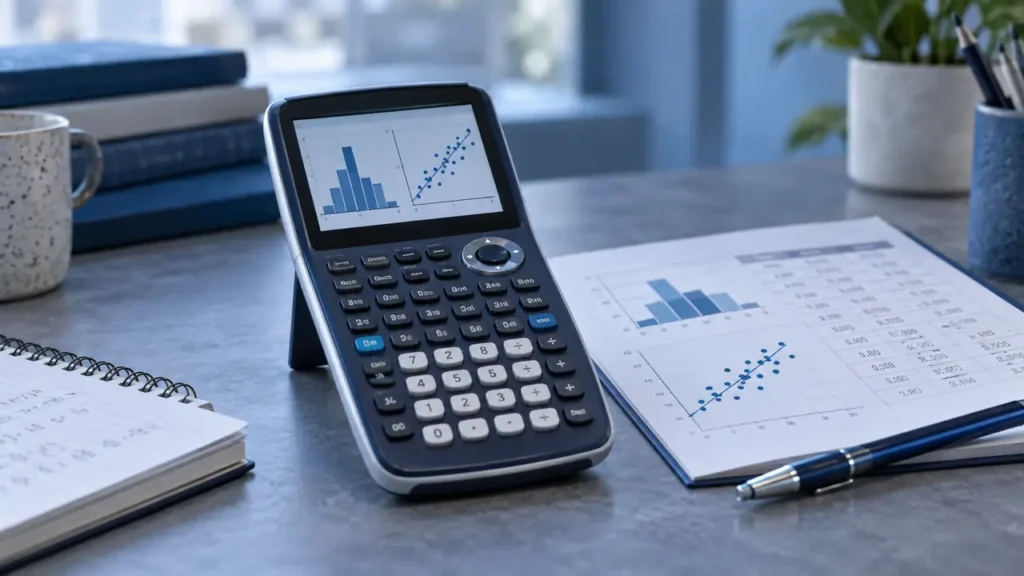
AP Statistics asks for more than quick arithmetic. You may need to inspect distributions, calculate standard deviations, run regression, work with probability tools, and connect a numerical result to a graph or written interpretation. That makes a graphing calculator useful, but the fanciest model is not automatically the best fit. A clear statistics workflow can matter more than extra features you will rarely touch.
Common buying mistakes include choosing a calculator because it has a color display, assuming every graphing model handles statistics in the same way, or selecting a scientific calculator that cannot actually plot functions. For AP Statistics, look closely at listed support for statistics, regression, probability distributions, spreadsheets, graphing, and readable mathematical notation. Also check the current rules for your specific exam before test day. The TI-84 Evo is the strongest overall match here because its statistics-friendly classroom focus is paired with a simplified interface, faster listed performance, and a larger graphing area.
Different students will value different trade-offs. A lower-cost model may provide the essential graphing and regression tools, while a Casio model may appeal to students who want probability distributions, spreadsheets, or MicroPython. A TI-Nspire CX II offers a more computer-like visual workspace, while the TI-84 Plus CE keeps the experience familiar and focused. The comparison below narrows those differences quickly.
Quick Answer
- Best Overall: TI-84 Evo Graphing Calculator for a streamlined TI-84 experience with faster listed performance and more graphing space.
- Best for Statistics Tools: Casio fx-9750GIII for probability distributions, spreadsheets, graphing, and MicroPython support.
- Best Visual Workspace: Texas Instruments TI-Nspire CX II for connecting multiple visualizations on a high-resolution color display.
- Best Budget-Oriented Option: CATIGA CS-121 for graphing, regression, standard deviation, and variable-solving tools at a lower price range.
Best Graphing Calculator for AP Statistics Comparison Table
| Product | Best For | Statistics Features | Graphing | Distinctive Feature |
|---|---|---|---|---|
| TI-84 Evo Graphing Calculator | Overall AP Statistics use | Statistics tools listed, details not fully specified | 50% more listed graphing space | Icon-based home screen and simplified keypad |
| TI-84 Plus CE | Familiar TI workflow | Useful for listed math and science functions | Color graphing | MathPrint notation and rechargeable battery |
| Casio fx-9750GIII | Statistics and programming flexibility | Probability distributions and spreadsheets | Graph plotting | MicroPython support |
| CATIGA CS-121 | Lower-cost graphing | Statistics, linear regression, standard deviation | Function plotting and graph analysis | 360+ listed functions and protective case |
| TI-Nspire CX II | Visual statistical exploration | Specific statistics tools not fully specified | Multiple visualizations | High-resolution full-color display and computer software |
| Casio Prizm FX-CG50 | Color graphing and broad math use | Statistics and geometry tools | Dynamic, polar, rectilinear, and 3D graphing | MicroPython and 65,000-plus color display |
The individual reviews below focus on the statistics workflow each model supports, along with the trade-offs that may matter in an AP course.
1. TI-84 Evo Graphing Calculator Texas Instruments, White — Best Overall

The TI-84 Evo is the clearest all-purpose fit in this group for a student who wants a current TI-84-style workflow without a cluttered starting screen. Its icon-based home screen places common mathematical tools up front, which can reduce the hunt through menus during a statistics assignment. The product information also describes a simplified keypad with larger buttons, a practical detail for repeated list entry and calculator commands.
Its listed three-times-faster performance and 50% more graphing space speak directly to the moments when an AP Statistics problem shifts from raw values to a visual check. A larger graphing area can make patterns and relationships easier to inspect, while smoother graphing may help keep a multi-step problem moving. The supplied information does not identify every statistics function, so buyers seeking a precise list of distributions or regression commands should confirm those details before ordering.
Pros
- Icon-based home screen puts popular math tools in visible locations.
- Listed processor performance is three times faster than the prior TI-84 reference used in the product description.
- Provides 50% more listed graphing space for inspecting patterns and relationships.
- Simplified keypad has larger buttons and reduced clutter.
- Built for everyday classroom use according to the product information.
Cons
- The supplied specifications do not identify the full set of AP Statistics functions.
- The product information does not clearly specify the battery system or runtime.
This model makes the most sense for students who want a focused, recognizable TI interface and expect to move between lists, calculations, and graphs often. A Casio fx-9750GIII may be a better fit for students who specifically want confirmed probability distributions and spreadsheets, while the TI-Nspire CX II suits buyers who prefer a more computer-like visual environment.
To buy this product, click here.
2. Texas Instruments TI-84 Plus CE Color Graphing Calculator, Black — Best Familiar TI Workflow

The TI-84 Plus CE keeps the familiar TI-84 concept while adding color graphing and MathPrint notation. For an AP Statistics student, MathPrint can make stacked fractions, symbols, and formulas resemble textbook presentation instead of appearing as a line of cramped keyboard characters. That matters during practice, particularly when checking whether an entered expression matches the written problem.
Color gives plotted functions and visual elements more separation, which can help when several relationships appear in the same graph. The listing also states that the rechargeable battery can last up to one month on a single charge, although that figure should be treated as a published claim rather than a guaranteed result for every usage pattern. A four-year subscription to the TI-84 Plus CE online calculator is included, adding a computer-based companion to the handheld package.
Pros
- MathPrint displays formulas, mathematical symbols, and stacked fractions in textbook-style notation.
- Color graphing can help distinguish multiple plotted functions.
- Listing states that the rechargeable battery can last up to one month per charge.
- Includes a four-year subscription to the TI-84 Plus CE online calculator.
- The supplied description identifies the unit as lightweight and suitable for classroom use.
Cons
- The product information does not provide a complete list of statistics and probability functions.
- Its interface and graphing description are less specific than the TI-84 Evo listing.
Students who already recognize the TI-84 layout may prefer this model because MathPrint and color graphing add useful clarity without shifting to the more computer-like TI-Nspire environment. Pick the Casio fx-9750GIII instead if confirmed probability distributions and spreadsheets carry more weight than TI familiarity.
To buy this product, click here.
3. Casio fx-9750GIII Graphing Calculator, Python Programming, Black — Best for Statistics Tools

The fx-9750GIII is especially interesting for AP Statistics because its supplied feature list names several tools that connect directly with data work. Probability distributions, spreadsheets, and graph plotting give a student more than a basic calculation path. A spreadsheet can help organize values before interpretation, while probability tools can reduce the need to handle every distribution calculation manually.
Natural Textbook Display shows expressions and results in a format intended to resemble textbook notation, which can make a long statistics expression easier to read at a glance. The model also supports MicroPython programming and USB file transfer. Those capabilities may matter to students who want to explore programming alongside statistics, but MicroPython should not be treated as a full desktop Python environment. The black version is the representative choice here, while the separately listed pink version is a cosmetic duplicate of the same model.
Pros
- Supports probability distributions according to the product information.
- Includes spreadsheet functionality for organizing data.
- Supports graph plotting and the listed statistics tools.
- Natural Textbook Display presents expressions and results in textbook-style notation.
- Supports MicroPython programming and USB file transfer.
Cons
- The supplied information does not identify the exact probability distributions included.
- MicroPython support does not establish compatibility with every desktop Python library or package.
Students whose AP Statistics work centers on distributions, data organization, and broader experimentation should give this model serious attention. The TI-84 Evo may feel more direct for a student who wants a simpler TI navigation system, while the TI-Nspire CX II offers a richer visual workspace for connected representations.
To buy this product, click here.
4. CATIGA Scientific Calculators with Graphic Functions, CS-121 — Best Budget-Oriented Option

The CATIGA CS-121 targets students who want graphing functions without moving straight to a higher-priced model. Its description specifically names statistics, linear regression, and standard deviation, so it has a more relevant AP Statistics profile than an ordinary scientific calculator. The ability to view a graph and formula together can also help a student check whether an entered function matches the intended expression.
The calculator lists more than 360 functions and three smart modes covering angle, calculation, and display settings. That breadth may help across algebra, trigonometry, calculus, and statistics, though a long function count does not automatically mean every tool is easy to locate. The supplied dimensions, listed weight, protective case, and anti-drop housing point toward a compact study device, while the 365-day limited warranty provides a defined support period.
Pros
- Lists statistics, linear regression, and standard deviation support.
- Can plot functions and analyze graphs while showing the formula on screen.
- Offers more than 360 listed functions across several mathematical areas.
- Compact 7 by 3.3-inch body and listed 6.4-ounce weight support portability.
- Includes a protective case and a 365-day limited warranty according to the listing.
Cons
- The product information does not clearly identify its full probability-distribution feature set.
- The broader interface may require more menu exploration than a dedicated TI-84 workflow.
This is a sensible pick for a student who needs graphing, regression, and standard deviation tools while keeping the purchase lower in the usual graphing-calculator price range. Students who need confirmed distributions, spreadsheets, or a more established software ecosystem may find the Casio fx-9750GIII or TI models easier to match to their course requirements.
To buy this product, click here.
5. Texas Instruments TI-Nspire CX II Color Graphing Calculator with Student Software — Best Visual Workspace

The TI-Nspire CX II takes a different approach from the compact menu-driven feel of the TI-84 models. Its product description emphasizes connecting multiple visualizations of the same concept on a high-resolution, full-color display. For AP Statistics, that kind of workspace can be useful when a student wants to relate a formula, graph, and numerical result instead of treating each output as an isolated screen.
The included four-year computer software license adds a desktop component, and the listing states that internet access is not required for the handheld calculator. A long-lasting rechargeable battery is also identified, but the supplied information does not provide a runtime figure. The product description makes broad claims about exam approval, yet current rules can change and must be checked for the exact model and specific administration.
Pros
- High-resolution full-color display supports multiple visual representations.
- Product information emphasizes connected visualizations for mathematical concepts.
- Includes a four-year license for computer software.
- Listing identifies a rechargeable battery and offline handheld use.
- Offers a more computer-like environment than the TI-84 models listed here.
Cons
- The supplied specifications do not clearly list its exact AP Statistics distributions or regression tools.
- The product information does not identify the rechargeable battery runtime.
Students who learn best by connecting graphs, formulas, and numerical representations may prefer the TI-Nspire CX II. It may be more calculator than necessary for someone who wants quick list entry and familiar TI-84 menus, while the Casio fx-9750GIII gives more explicitly listed statistics features.
To buy this product, click here.
6. Casio Prizm FX-CG50 Color Graphing Calculator — Best for Broad Visual Graphing

The Prizm FX-CG50 brings a broad graphing feature set to a color calculator. Its supplied information identifies statistics, dynamic graphing, polar and rectilinear graphing, complex numbers, geometry, and 3D graphing. AP Statistics students may use only part of that range, but the color display can help separate plotted elements while the dynamic tools provide a way to explore how changes affect a graph.
The listing says the display supports more than 65,000 colors and can show up to three 3D functions such as spheres, cylinders, and planes. Those 3D capabilities are not central to AP Statistics, so they should not be mistaken for evidence that the calculator is better at statistical inference. MicroPython programming and computer connection add flexibility for students who want a programming path alongside their math coursework.
Pros
- Lists statistics and dynamic graphing functions.
- Supports polar and rectilinear graphing of one or simultaneous equations.
- Color display supports separation of plotted elements.
- Includes 3D graphing for functions such as spheres, cylinders, and planes.
- Supports MicroPython programming and connection to a computer.
Cons
- Its 3D graphing features may matter less for an AP Statistics-focused buyer.
- The supplied information does not identify the exact probability distributions or regression workflow.
The FX-CG50 fits students who want color, broad graphing modes, and programming in one device, especially if their coursework extends beyond statistics. For a narrower AP Statistics purchase, the fx-9750GIII has more directly listed probability and spreadsheet tools, while the TI-84 Evo offers a more focused navigation design.
To buy this product, click here.
Buying Guide
Start With the Statistics Tools You Will Actually Use
AP Statistics work often involves data lists, one-variable summaries, standard deviation, regression, probability distributions, and graphs. A calculator with a long general function list is less useful if the relevant commands are hard to identify. The Casio fx-9750GIII specifically lists probability distributions and spreadsheets, while the CATIGA CS-121 names linear regression and standard deviation. Those details carry more weight than a color display alone.
Separate Graphing From Statistical Analysis
Graphing can help you inspect relationships and patterns, but graphing capability does not prove that a calculator includes every statistics feature required for your course. The TI-84 Evo lists more graphing space and smoother graphing, while the Prizm FX-CG50 lists dynamic, polar, rectilinear, and 3D graphing. Check the precise statistical workflow separately instead of treating a broad graphing description as a complete answer.
Choose Between Familiar Menus and Connected Visuals
The TI-84 Evo and TI-84 Plus CE use a more focused TI-84 approach. The TI-Nspire CX II is aimed at connecting multiple visualizations and includes computer software. A student who wants quick access to familiar calculator menus may prefer the TI-84 format, while someone who likes to relate several representations may appreciate the Nspire environment.
Think Carefully About Color
Color can help distinguish multiple plotted functions or visual elements. It does not automatically add statistical capability, improve every workflow, or replace a clear menu structure. The TI-84 Plus CE, TI-Nspire CX II, and Casio Prizm FX-CG50 all list color-related display features, but the practical benefit depends on how often your work involves several visual elements at once.
MicroPython Is a Separate Decision
The Casio fx-9750GIII and Prizm FX-CG50 list MicroPython support. That may appeal to students who want to explore programming, but MicroPython is a handheld implementation and should not be assumed to include every desktop Python library. For an AP Statistics buyer, programming is secondary unless the calculator will also support a broader course or personal project.
Check Battery and Software Details
The TI-84 Plus CE listing identifies a rechargeable battery and states a runtime of up to one month per charge. The TI-Nspire CX II listing also identifies a rechargeable battery, but no runtime is supplied. The TI-84 Plus CE and TI-Nspire CX II include software-related benefits, while the Casio models list USB connectivity or computer connection. USB file transfer is separate from battery charging, so verify the exact power and software details before purchase.
Verify Current Exam Rules Separately
Some supplied listings make exam-related claims, but calculator capability and official exam eligibility are separate questions. Policies can change, and rules may differ by exam or administration. Confirm the current requirements for the exact model before test day, especially if you are comparing a graphing calculator with a model your teacher has specifically recommended.
Best Graphing Calculator for AP Statistics FAQ
Is the TI-84 Evo a good calculator for AP Statistics?
The TI-84 Evo is the strongest overall fit in this group because its listing emphasizes everyday classroom use, an icon-based home screen, faster listed performance, more graphing space, and a simplified keypad. The supplied information does not provide a complete list of statistics functions, so confirm that its specific tools match your teacher’s workflow.
Which calculator has the clearest listed statistics features?
The Casio fx-9750GIII has the clearest statistics-oriented feature list here. It specifically identifies probability distributions, spreadsheets, graph plotting, and related mathematical tools. The CATIGA CS-121 also lists statistics, linear regression, and standard deviation.
Is a color graphing calculator better for AP Statistics?
Color can make multiple plotted functions or visual elements easier to distinguish, but it does not automatically provide better statistics tools. Choose color for a visual reason, then verify the calculator’s actual support for regression, distributions, data lists, and other tasks in your course.
Can the CATIGA CS-121 replace a TI-84 for AP Statistics?
The CATIGA CS-121 lists actual graphing, statistics, linear regression, and standard deviation functions, so it is a legitimate lower-cost graphing option. Whether it can replace a TI-84 in your class depends on your teacher’s required model, preferred instructions, and the exact calculator functions used in assignments.
Does MicroPython help with AP Statistics?
MicroPython may be useful for programming projects, but it is not automatically central to AP Statistics. The fx-9750GIII and Prizm FX-CG50 list MicroPython support. Students should treat that as an additional capability rather than proof that the calculator has a better statistics workflow.
Is the TI-Nspire CX II too advanced for AP Statistics?
It may be more feature-rich than necessary for a student who wants straightforward list entry and familiar menus. Its high-resolution color display, connected visualizations, and included computer software may appeal to students who want to connect graphs, formulas, and numerical representations in a broader workspace.
Should I choose a calculator based on exam approval claims?
Do not rely on a product listing alone for current exam eligibility. Check the current policy for the exact model and exam administration. A calculator’s graphing, statistics, or programming capabilities do not automatically establish permission to use it on a particular test.
Final Verdict
The TI-84 Evo is the best overall choice in this group for AP Statistics because its supplied features address everyday calculator handling directly. The icon-based home screen, simplified keypad, faster listed performance, and larger graphing area create a focused route through calculations and visual checks. Its product information leaves some statistics details unspecified, so buyers should confirm the exact functions required by their class before committing.
The Casio fx-9750GIII is the better alternative for students who prioritize explicitly listed probability distributions, spreadsheets, and MicroPython. The CATIGA CS-121 offers a lower-cost path with named regression and standard-deviation tools, while the TI-Nspire CX II suits students who prefer connected visualizations and computer software. Color-focused buyers can look at the TI-84 Plus CE or Casio Prizm FX-CG50, but the final decision should follow the course workflow and current exam rules for the exact model.